Recurring revenue only works when it’s predictable, and easy to manage. As businesses shift toward subscription-based models, manual billing, unclear contracts, and poor visibility can quickly become bottlenecks. This is where Odoo subscriptions and recurring payment capabilities make a real difference. Designed to simplify how subscriptions are managed end to end, Odoo helps businesses gain better control over contracts, cash flow, customer experience, and long-term decision-making, while reducing operational effort and billing errors.
Odoo Subscriptions: Menu Structure and Model Explanation
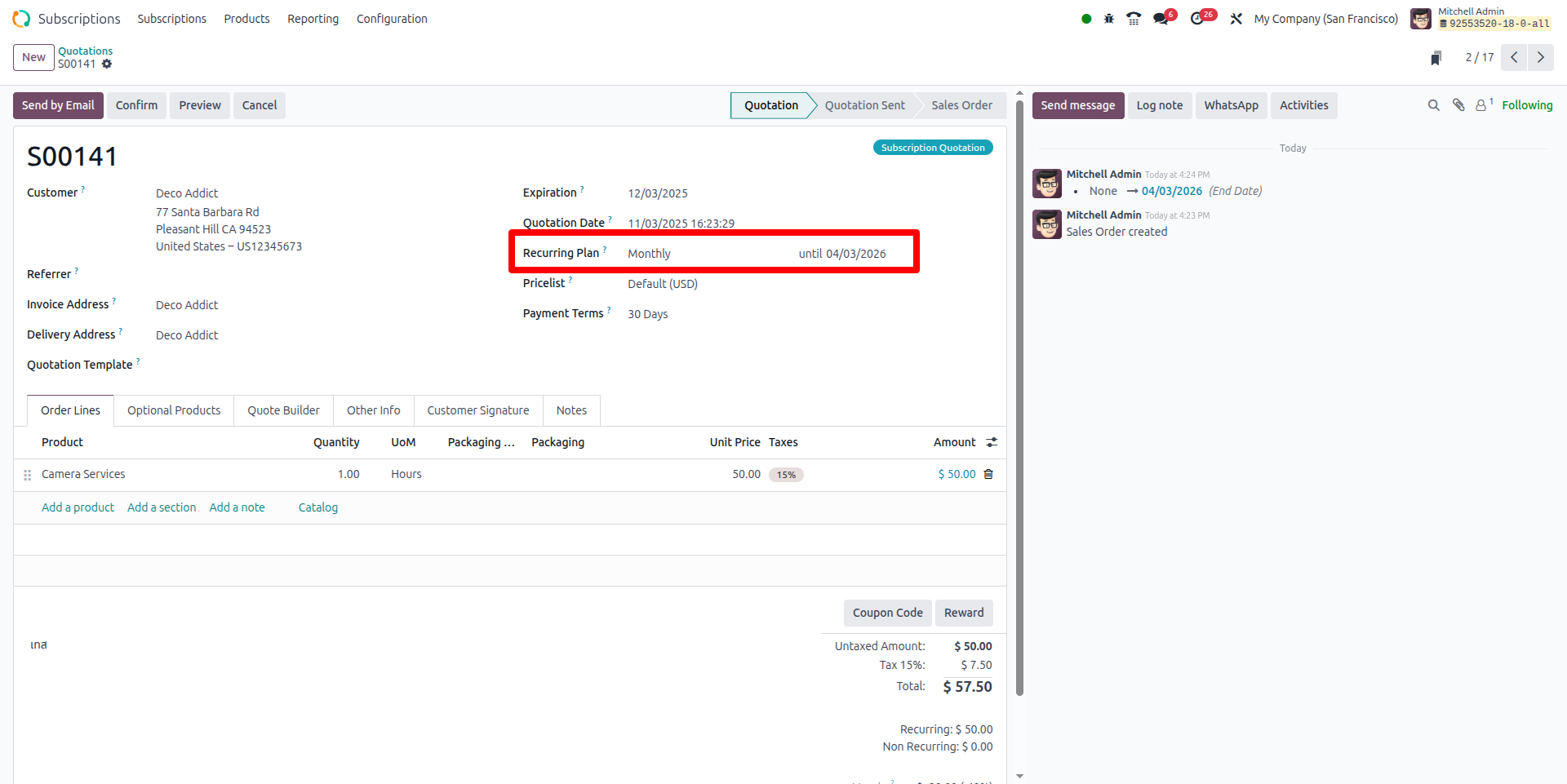
Quotations:
What it is:
This is where you create the offer to a customer
What you’ll do:
- Select the customer, select the subscription product(s)
- Choose the recurring plan (e.g. Monthly, Weekly, Yearly)
- Set expiry date if you want
- Send quote -> if customer accepts -> you confirm -> it becomes a subscription
Why it matters: It’s your front-line sales offer for subscriptions.
Odoo Subscriptions:
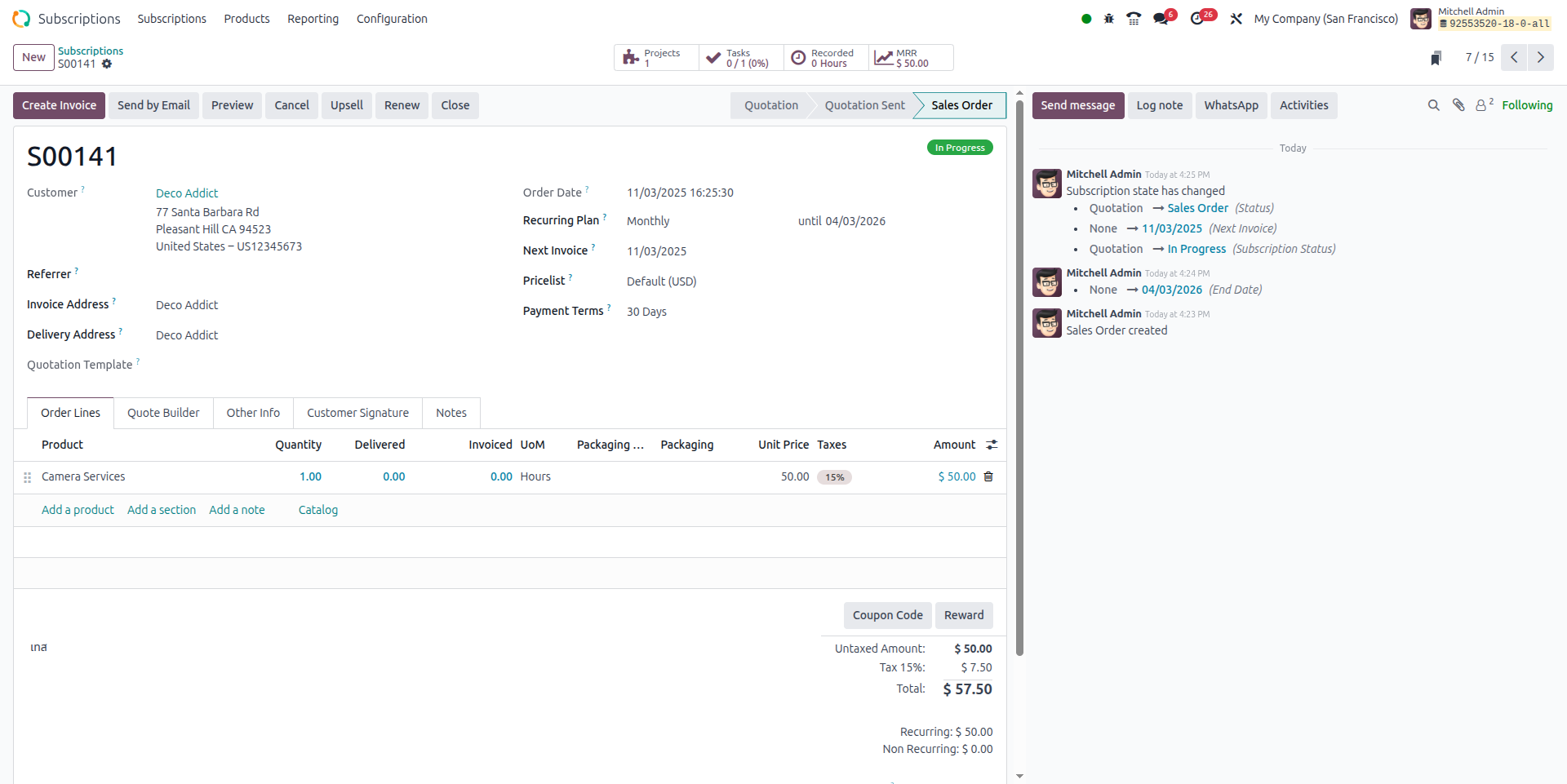
What it is:
This is the “live contract” with your customer - once the quotation is confirmed, you see the subscription record.
What you’ll see / track:
- Customer name, what they have subscribed to
- Start date, next invoice date, end date (if any)
- Recurring amount, plan (monthly/annual)
Status:
- Quotation – Subscription is drafted
- Renewal Quotation – A renewal offer is prepared for an existing subscription nearing expiry.
- In Progress – Subscription is active and currently being delivered/billed.
- Paused – Subscription is temporarily stopped.
- Renewed – Subscription has been successfully extended for a new period.
- Churned – Subscription has been cancelled or ended and will not be renewed.
- Upsell – Subscription is being upgraded with additional products or services.
Why it matters: This is your ongoing view of the relationship - you can monitor and manage it here.
To Renew
What it is:
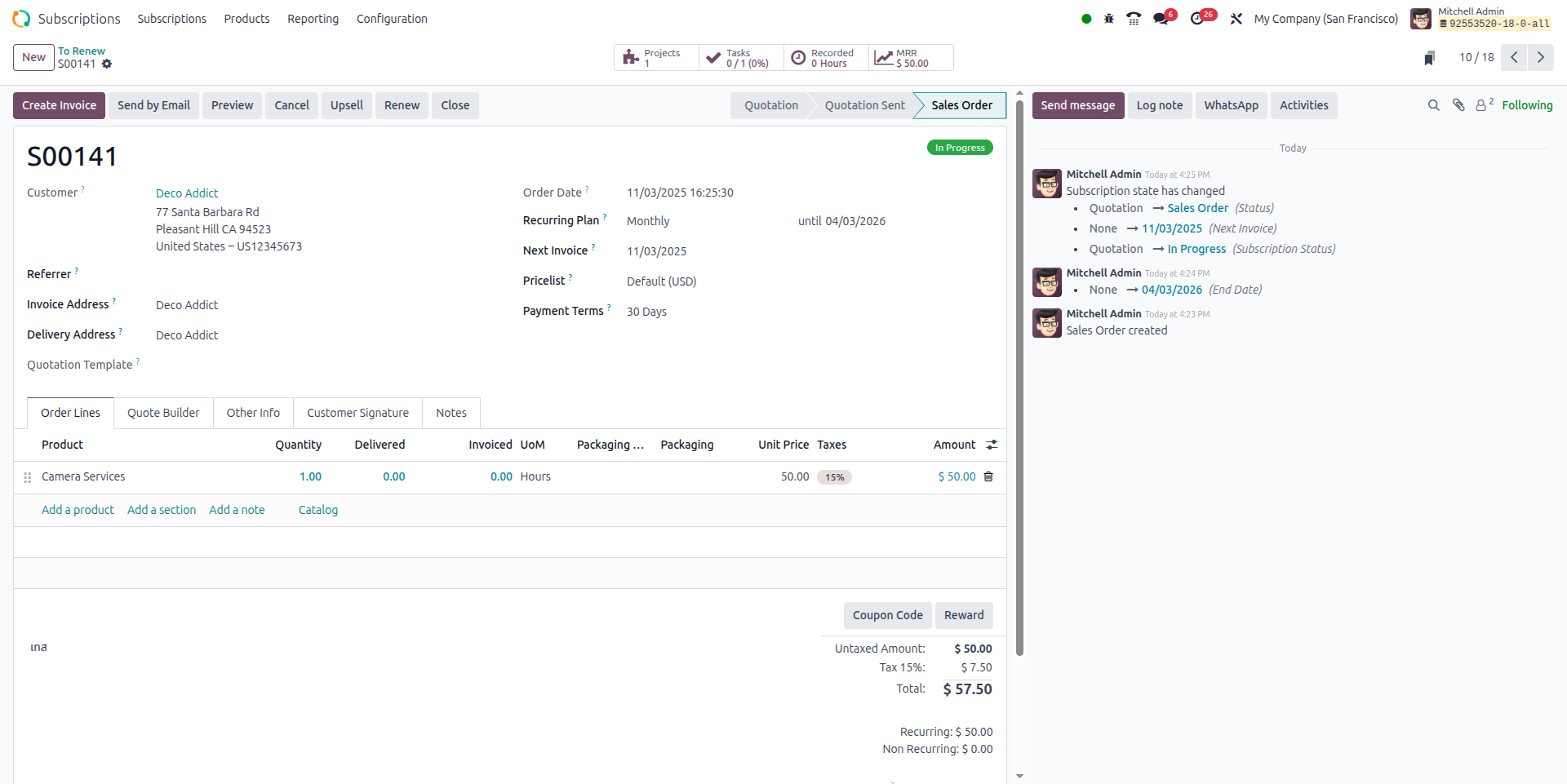
A view of subscriptions that are nearing the end of term (or need renewal) - a kind of “coming up next” list.
What you’ll use it for:
- See which customers need attention (renew, up-sell, contact)
- Trigger renewal quotes or automatically if you’re set-up for renewals
Why it matters: Helps you stay proactive rather than reactive; avoid losing customers because you forgot to renew.
Upsells
What it is:
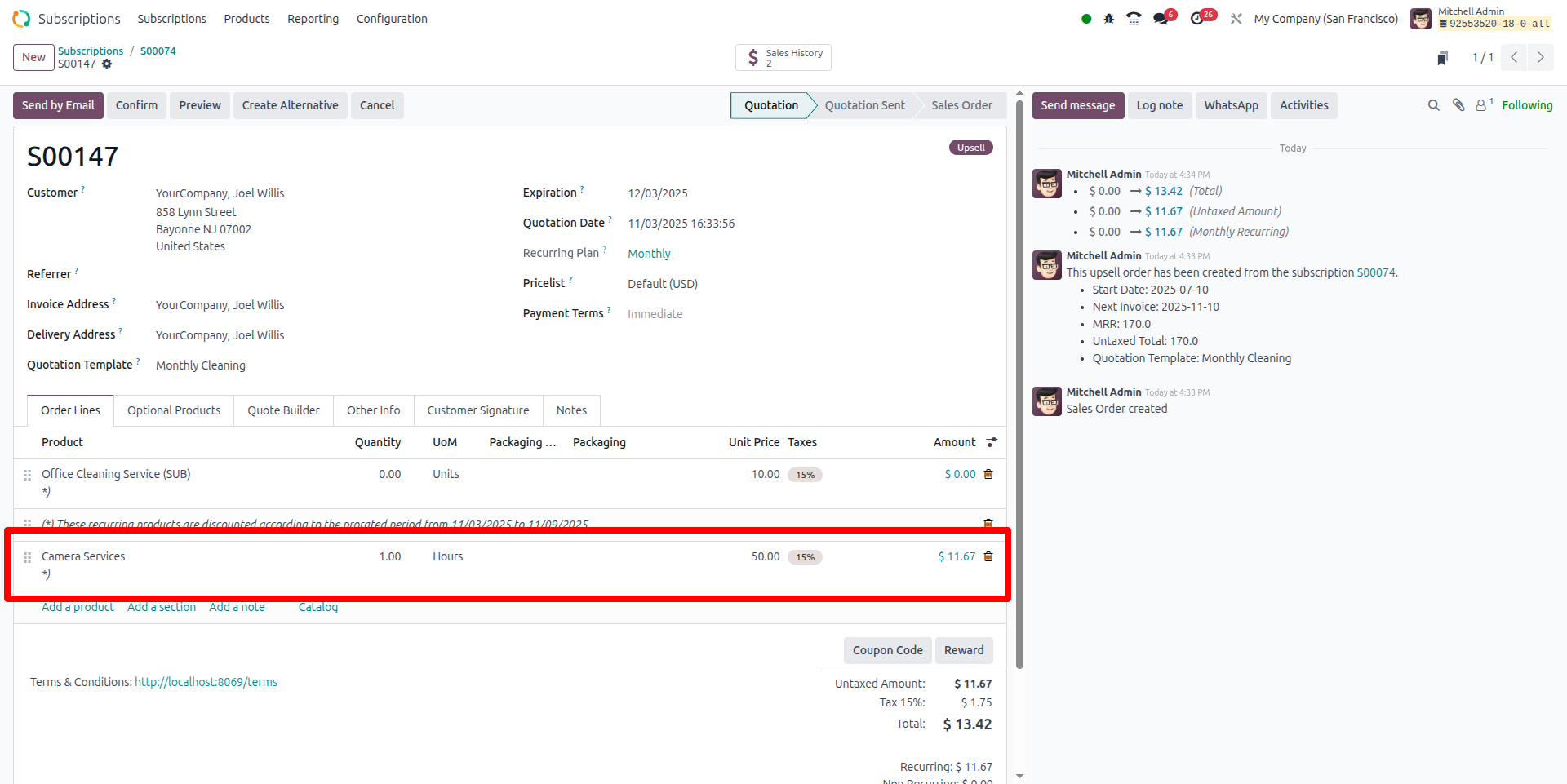
When a customer on a subscription wants to upgrade or add features, this is the menu to track those opportunities.
What you’ll do:
- From a subscription, you create an “upsell” offer (higher tier, add-on)
- The system generates a quotation for the additional service
- On confirmation, the subscription gets updated (or a new line added)
Why it matters: It’s easier to grow revenue from existing customers than find new ones - this menu supports that.
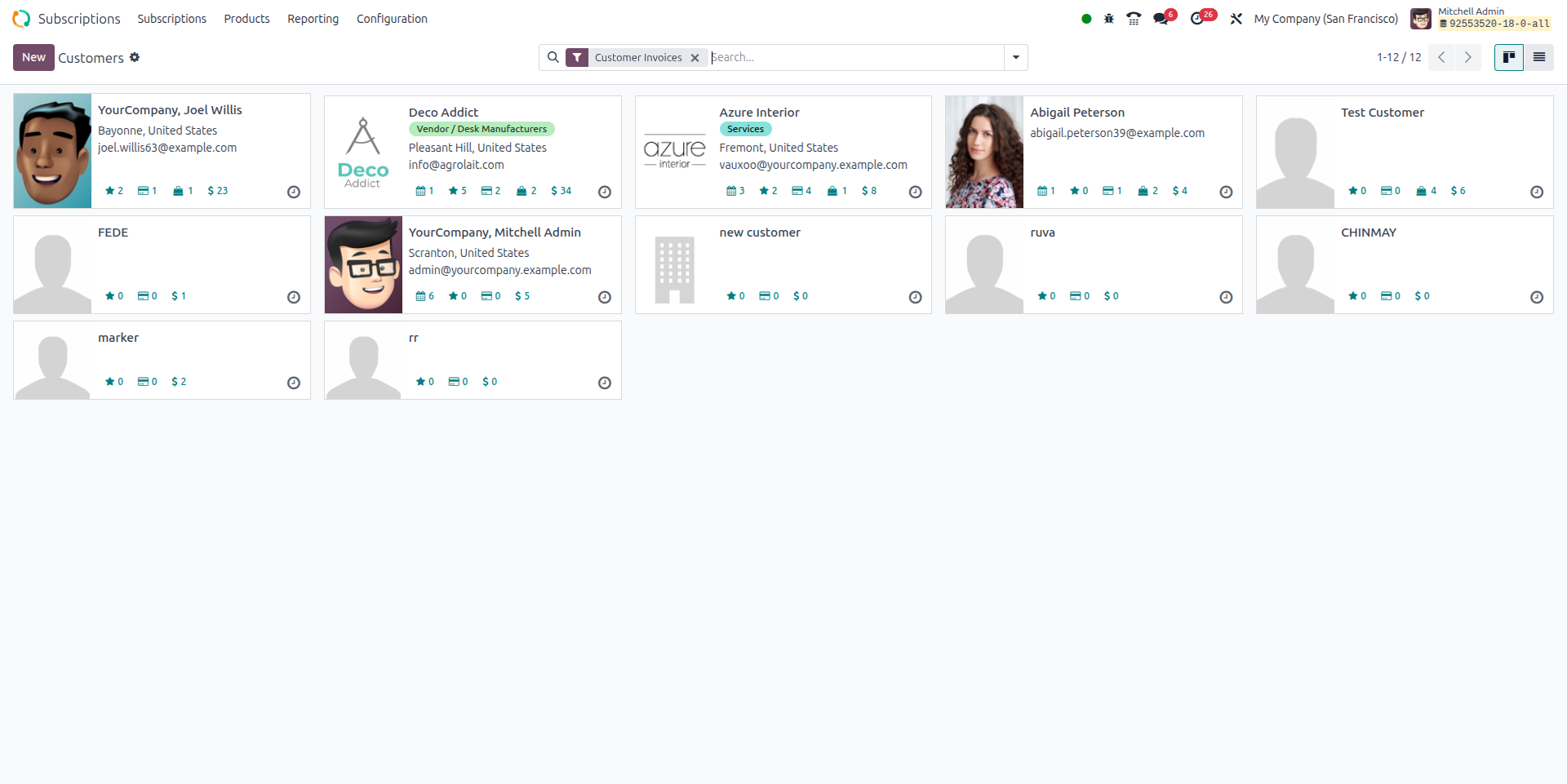
Customers
What it is:
A list of the customers who have or have subscriptions.
What you’ll use it for:
- See which customers are active, which customers have lapsed
- For marketing/retention: segment customers based on their subscription status
Why it matters: Your subscription business is all about recurring relationships - so this gives you the view of your subscriber base.
Subscription Products
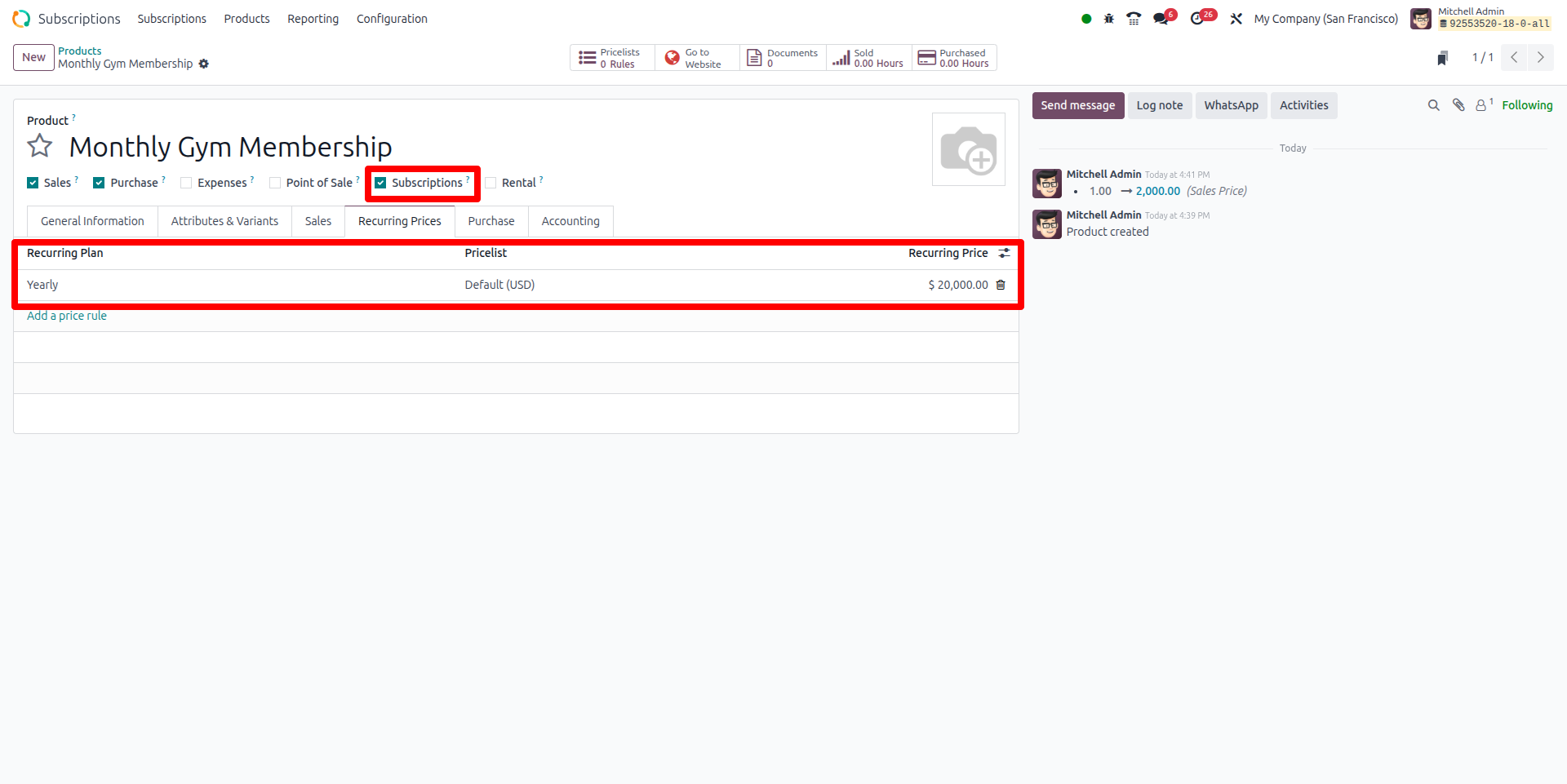
What it is:
Before you can sell a subscription, you need to create the product/service in Odoo and flag it to behave as a “subscription” type.
What you’ll configure:
- Product name (e.g., “Monthly Gym Membership”)
- Check “Is a subscription product”
- Define pricing lines: for example, ₹ 2,000 per month, or ₹ 20,000 per year
- Invoicing policy: fixed, or based on something else
Why it matters: This tells Odoo “this product is recurring in nature” so that the rest of the subscription workflow works properly.
Configuration -> Recurring Plans
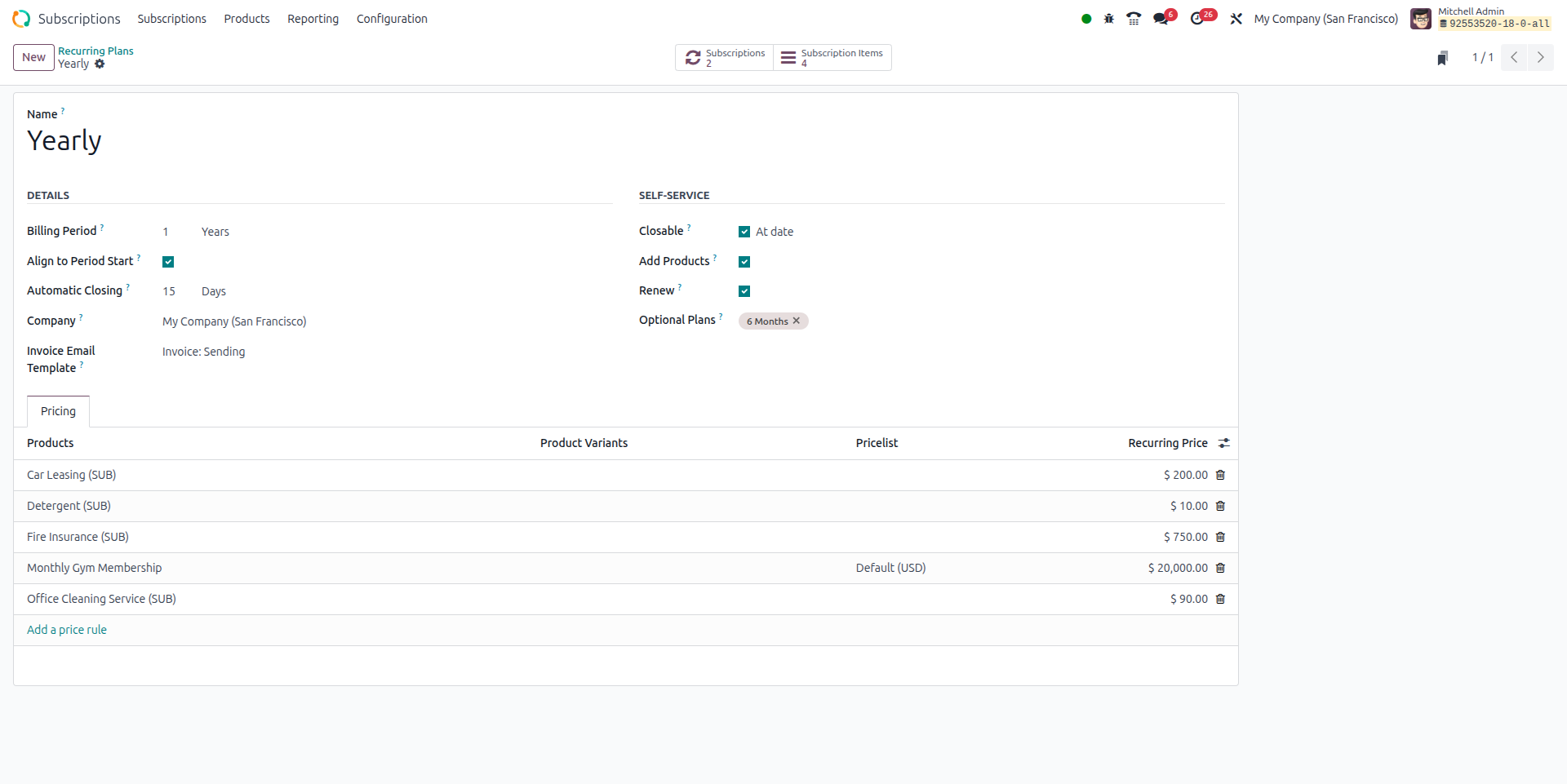
What it is:
Defines the rules of how often billing happens and under what terms for subscription services.
What you’ll set up:
- Plan Name (e.g., “Monthly Plan”, “Annual Plan”)
- Billing Period: unit (Weeks/Months/Years) + number (e.g., 1 Month)
- Align to Period Start? (Yes/no) - should all customers be billed from, say, 1st of each month?
- Automatic Closing: after how many days does the contract auto-close if not renewed
- Self-service options: allow customer to cancel/renew via portal?
- Link product(s) and set price(s) in Pricing tab
Why it matters: This is the backbone of your recurring model - it defines how the “subscription clock” works.
Configuration -> Quotation Templates
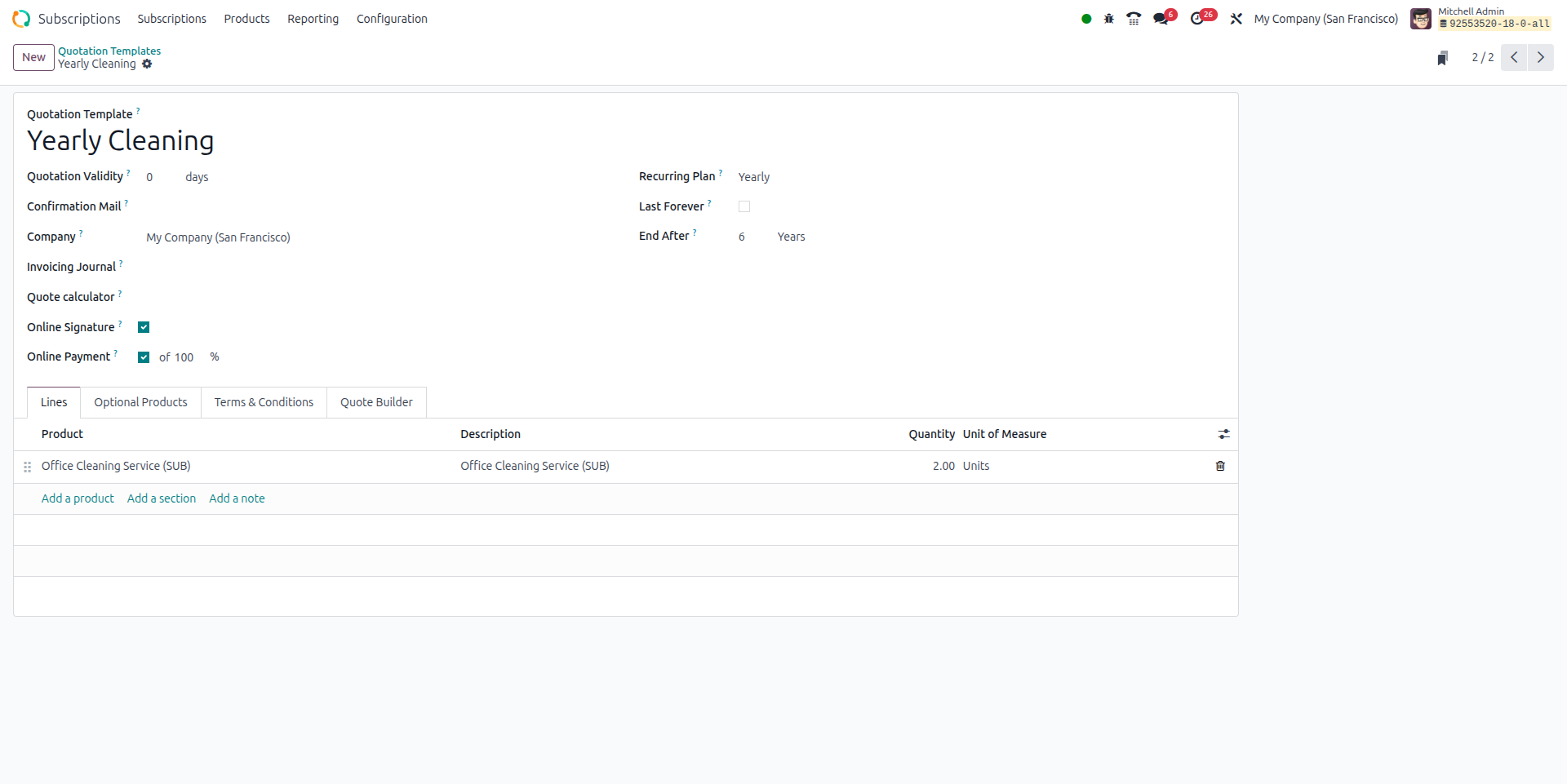
What it is:
Standardized templates for your subscription offer - so you don’t recreate the wheel each time.
What you’ll create:
- Template Name (e.g., “Basic Monthly Subscription”, “Premium Annual Subscription”)
- Default recurring plan, customer terms
- Product lines included by default, any add-ons
- Expiry of quote, prepayment if any
Why it matters: Saves your sales team time, ensures consistency in your offers.
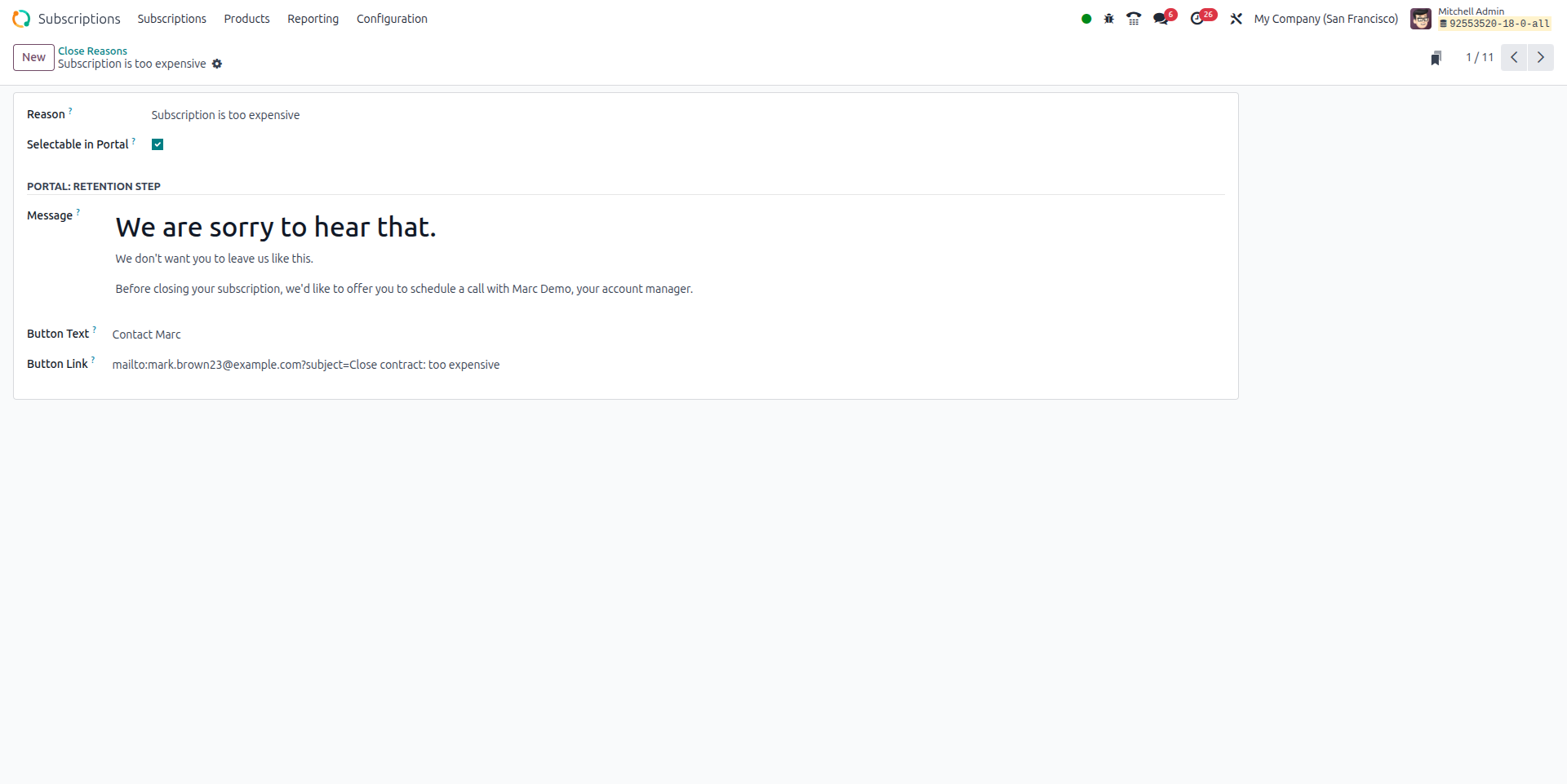
Configuration -> Close Reasons
What it is:
When a subscription ends (customer cancels, moves away, switches competitor) you define “why”.
What to fill:
- Reasons (text) like “Budget cut”, “Switch competitor”, “Service ended”, etc.
Why it matters: Give your insight into why customers leave - this helps you improve and reduce churn.
Reporting
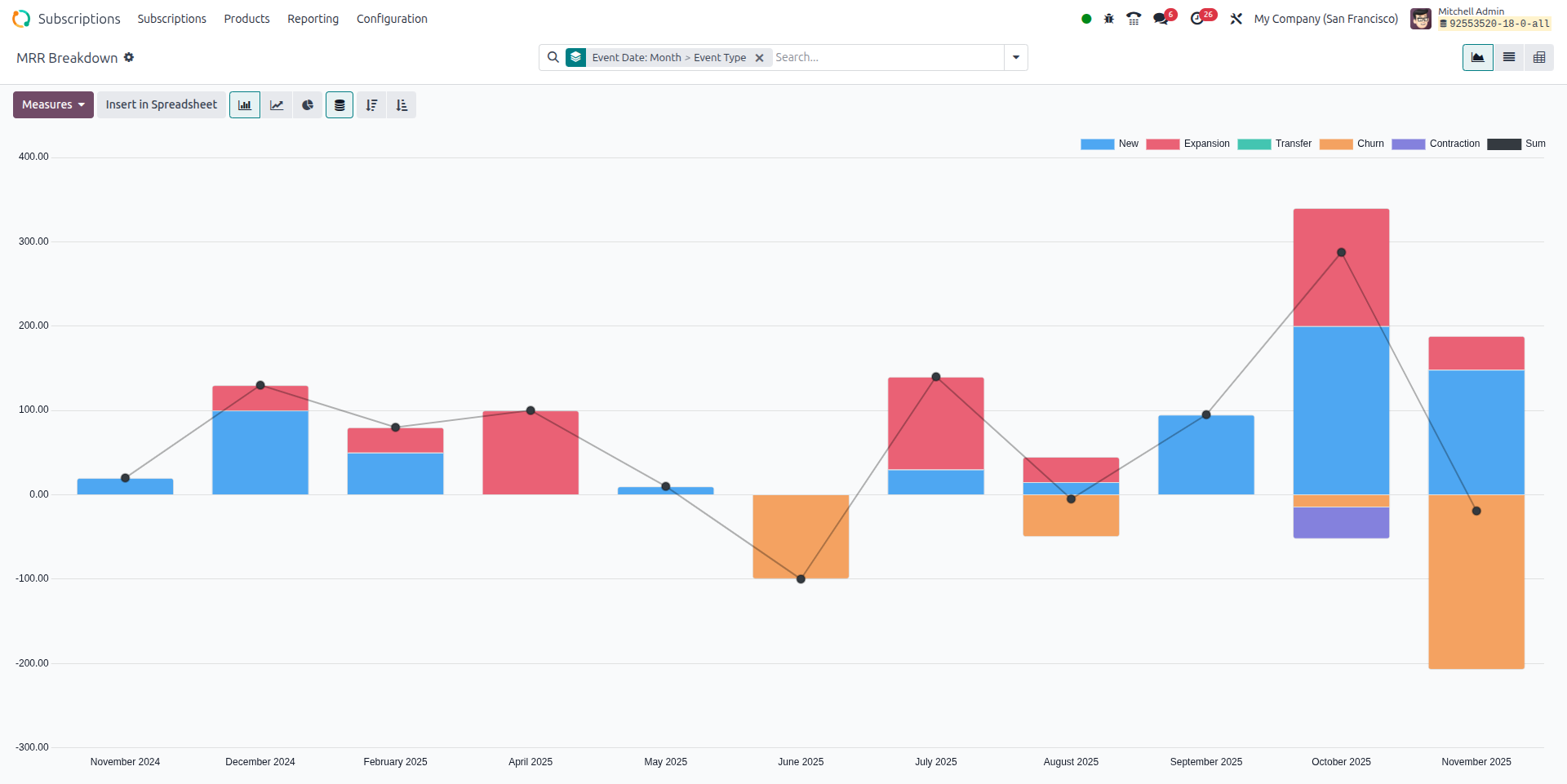
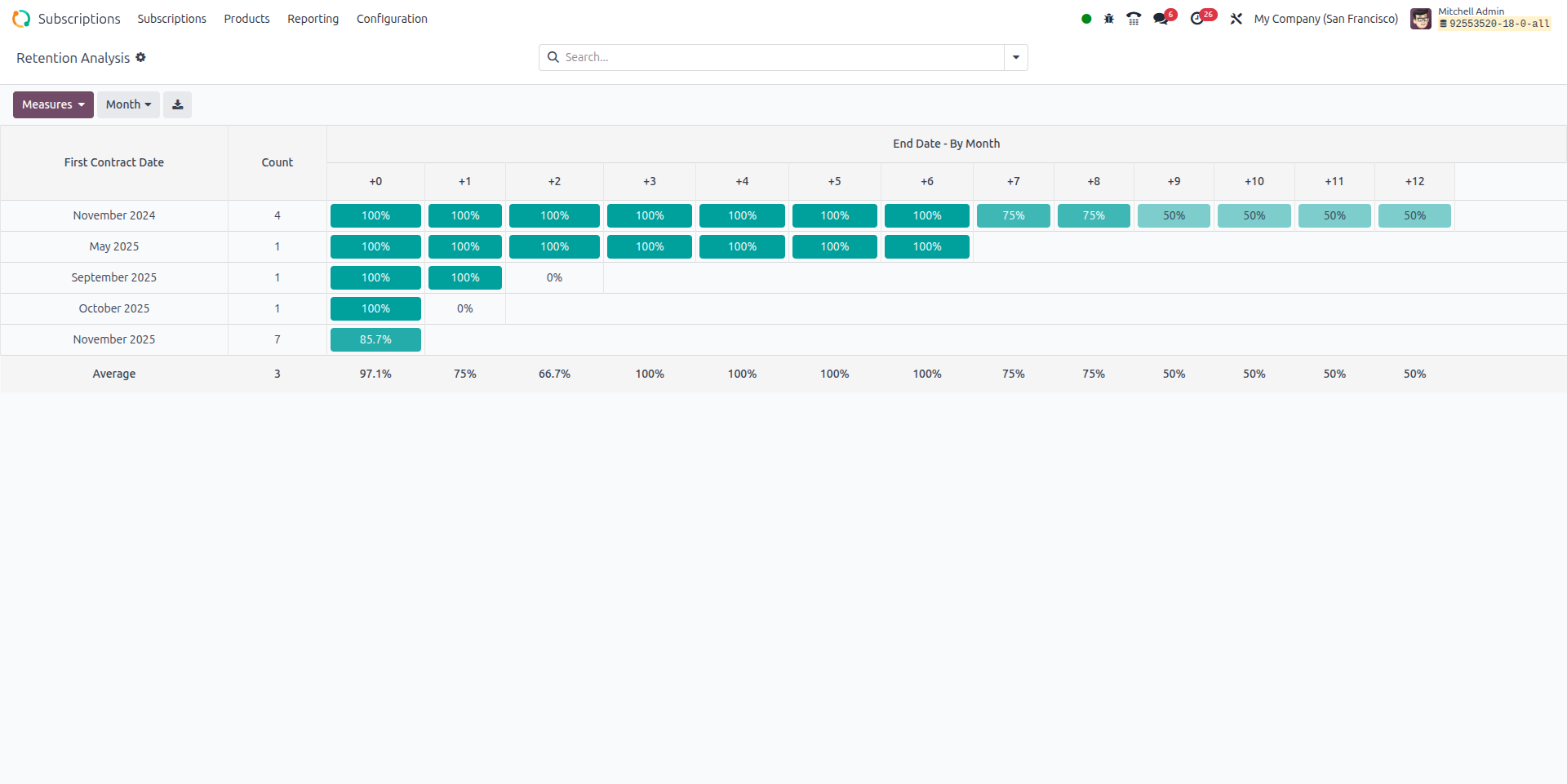
What it is:
Dashboards and reports showing how your subscription business is performing.
Key metrics you’ll see:
- Number of active subscriptions, new subscriptions, churned subscriptions
- Monthly Recurring Revenue (MRR) and Annual Recurring Revenue (ARR)
- Churn rate (how many cancel)
- Upsell / expansion revenue
- Customer retention metrics
Why it matters: You’ll run your business with data, not just instinct. You’ll see where you’re doing well and where you need improvement.
Step-by-step Examples of Odoo Subscriptions Model
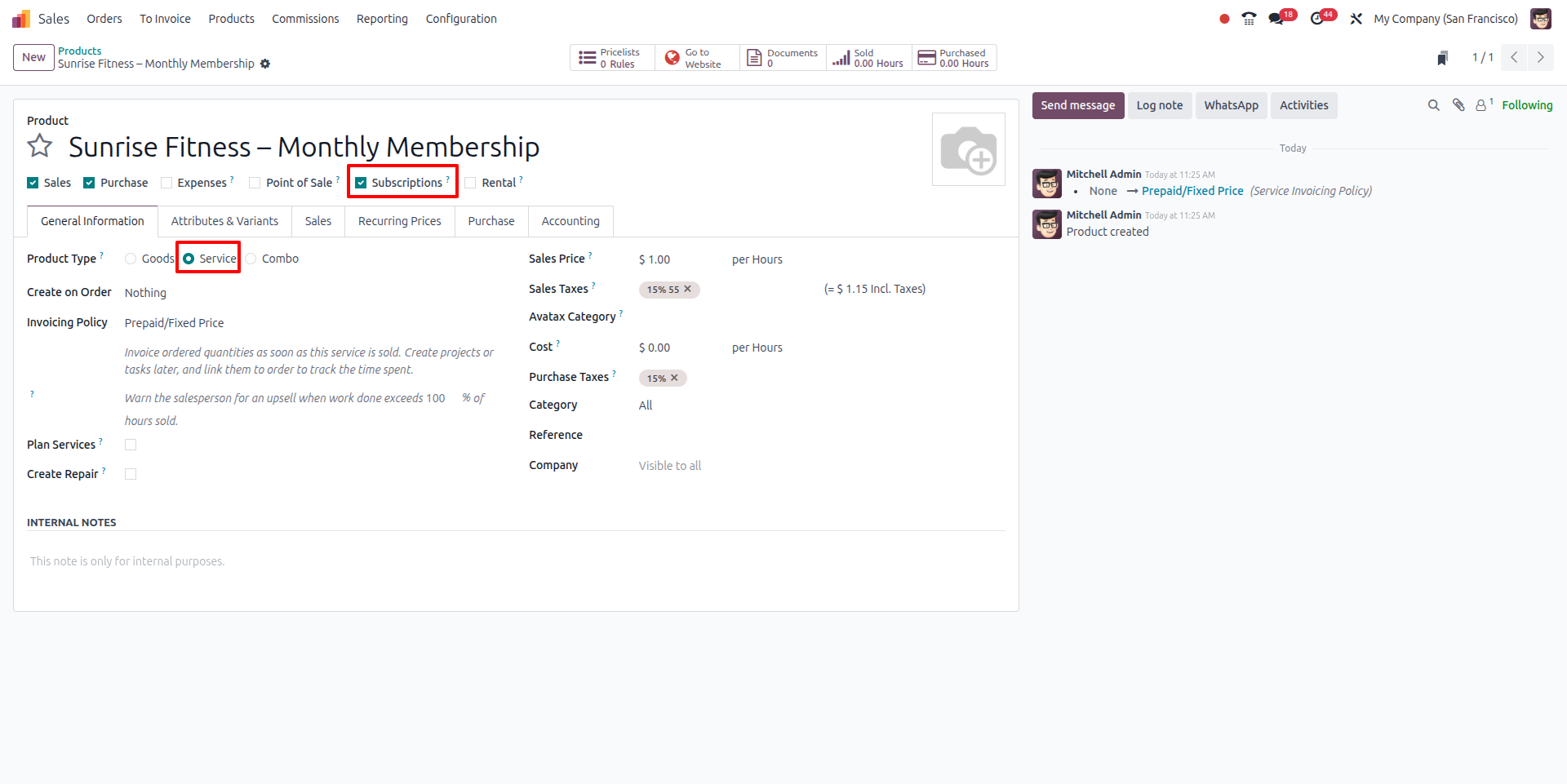
1. Create the product
- Go to Sales -> Products -> Create a new product.
- Name it as “Sunrise Fitness - Monthly Membership”.
- Type = Service.
- Tick “Is a subscription product”.
- Save the product.
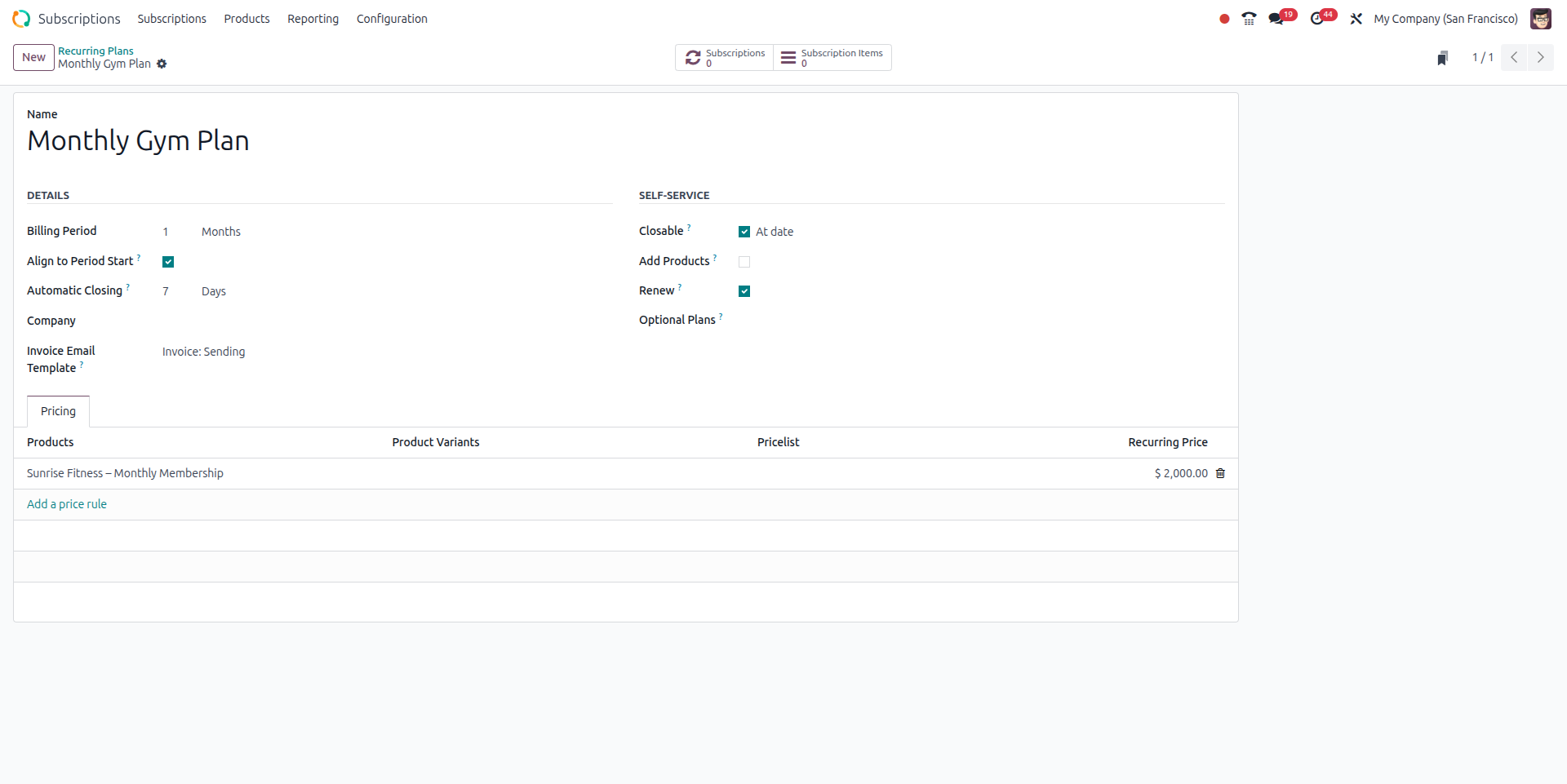
2. Create a recurring plan
- Subscriptions -> Configuration -> Recurring Plans -> New.
- Name: “Monthly Gym Plan”.
- Billing Period: 1 Month.
- Align to Period Start: Yes (so all members are billed from 1st of each month).
- Automatic Closing: e.g., 7 days after expiry.
- Self-Service: allow “Closable” and “Renewable”.
- Pricing tab: add the “Monthly Membership” product and price ₹ 2,000.
- Save it.
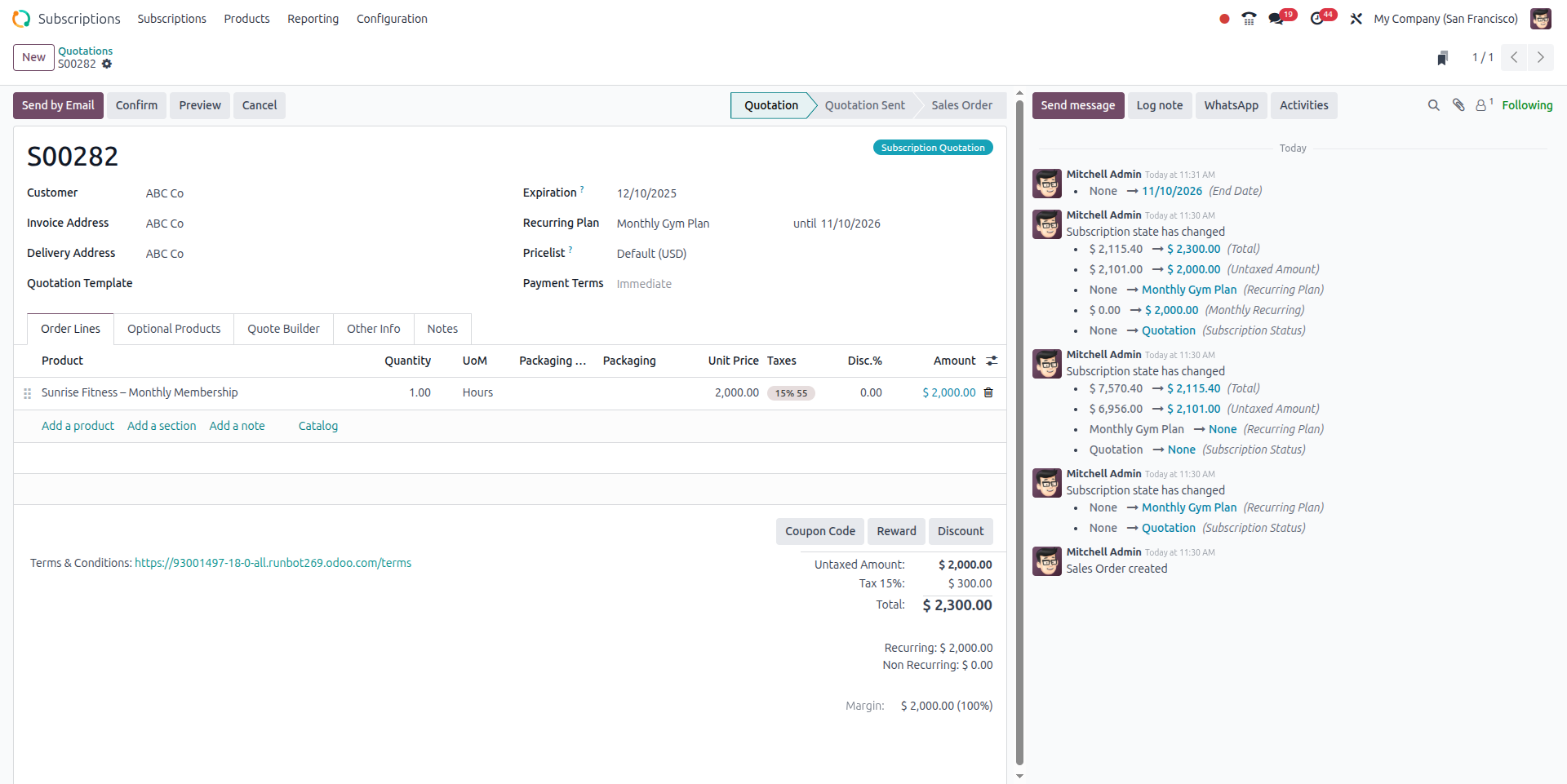
3. Create a quotation for a customer
- Subscriptions -> Quotations -> New.
- Customer: “ABC Co.” (say they are signing up multiple employees).
- Recurring Plan: pick “Monthly Gym Plan”.
- Start Date: 1 Nov 2025.
- Order Lines: Product = “Sunrise Fitness - Monthly Membership”, Qty = 1, Price = ₹ 2,000.
- Save -> Send a quotation to ABC Co.
- Customer signs/accepts -> Confirm quotation.
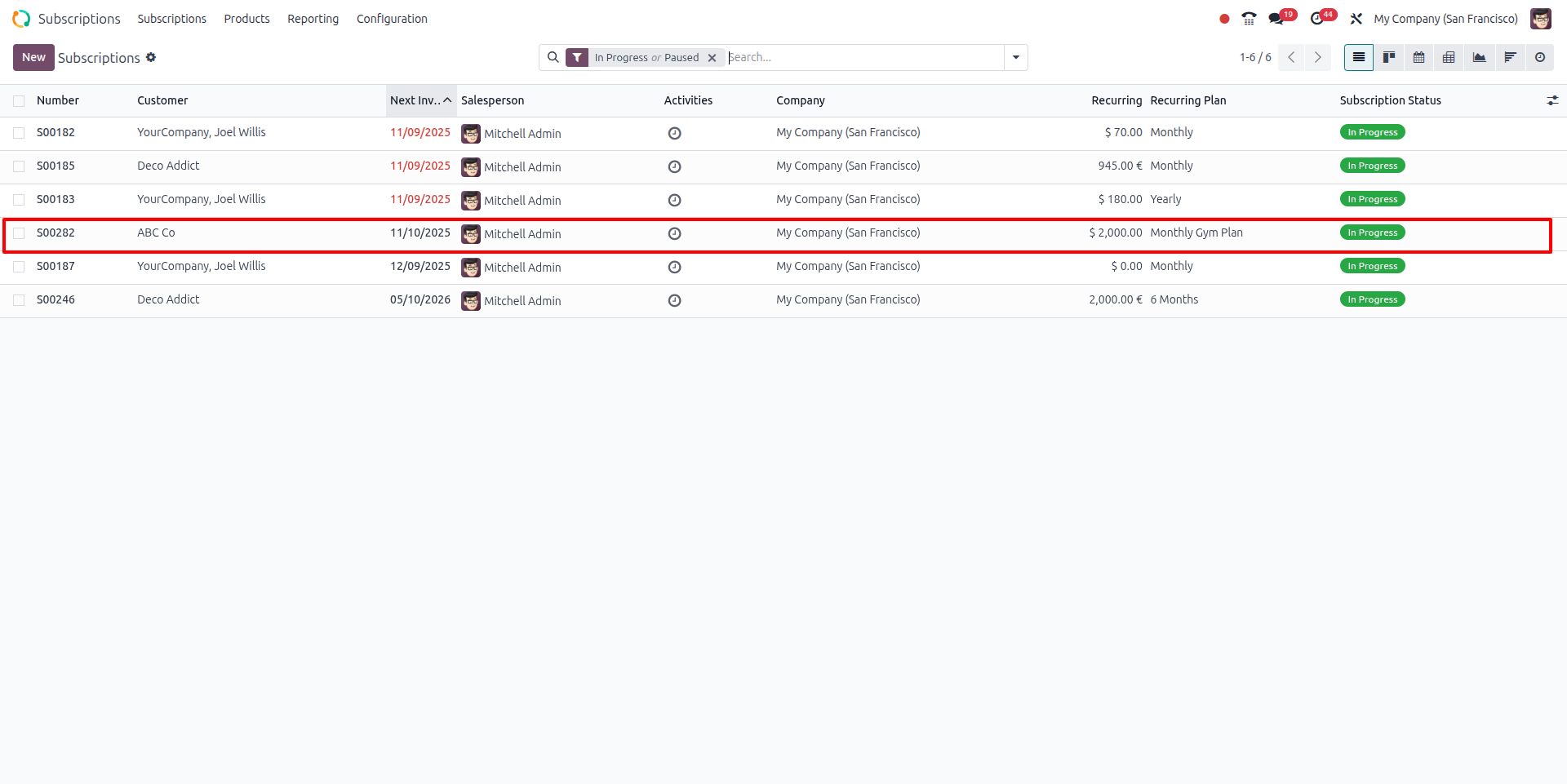
4. Subscription record appears
- Subscriptions -> you’ll see a record for ABC Co.
- Next Invoice Date: 1 Nov 2025 (or if you align to period start maybe 1 Dec 2025).
- Status: In Progress.
- You see the billing schedule, service description, and amount.
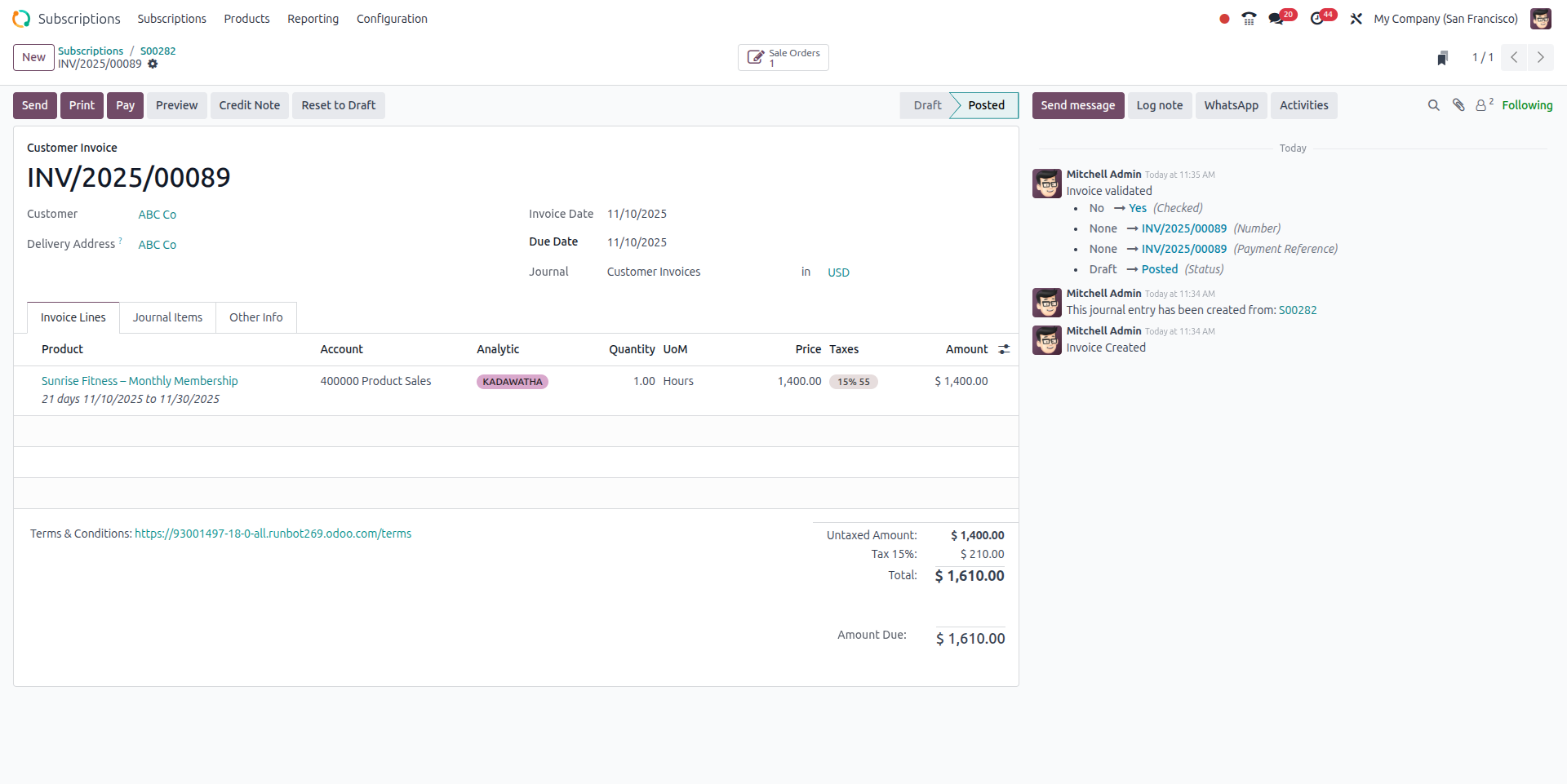
5. First invoice & payment
- On confirmation, Odoo auto-creates the first invoice (depending on setup).
- Send the invoice to the customer. Customer pays (you record payment or if you have auto payment, it is processed).
- The subscription now shows that the next invoice will be on 1 Dec 2025.
6. Renewal or termination
- If you defined an end date (say 1 Nov 2026) then when that date arrives the subscription moves to “To Renew” status.
- You can send a renewal quotation from the “To Renew” menu. Customer accepts -> subscription extended.
- If the customer cancels, you click “Close” in the subscription record, pick “Close Reason” (e.g., “Moving away”), status becomes “Closed”.
7. Reporting & monitoring
- Subscriptions -> Reporting -> view metrics: “How many active members do we have?”, “What is our monthly recurring revenue?”
- See filters: by plan (Monthly Gym Plan), by status (Active / Renew / Closed).
- Use this data: maybe you see churn is high in month 3 -> you investigate “Why are people leaving after 3 months?” and plan to improve retention, maybe offer an annual discounted plan.
Conclusion
Odoo Subscriptions Management will come in very handy for those businesses that work on subscription, as it automates recurring revenue with the powerful Odoo Billing Automation integrated into odoo. It simplifies renewals, automates invoices, and allows for secure Recurring Payments in Odoo; hence, by minimizing manual work and increasing the precision of billing, a frictionless customer experience is created. With full transparency into contract performance and customer lifecycles, Odoo recurring payments setup is a secure foundation to establish predictable revenue and long-term growth.
FAQ
1. Who can use Odoo Subscriptions?
Any subscription-based business like SaaS, fitness centers, rentals, or online learning platforms.
2. Is setting up recurring payments in Odoo complicated?
No. Just create a subscription product, set the billing schedule, and Odoo automates the rest.
3. Can I create multiple subscription plans?
Yes. You can offer multiple plans such as Basic, Standard, or Premium.
5. Does Odoo Subscriptions work with other Odoo apps?
Yes. It works seamlessly with Sales, Accounting, Website, CRM.