When choosing a platform for building and managing digital experiences, WordPress and Liferay are often compared, though they serve very different needs. WordPress is well-suited for blogs and small to medium websites, while Liferay is designed for enterprise-grade digital experience platforms, large portals, and complex business applications. This comparison helps you choose the right platform based on your specific use case.
What is Liferay?
Liferay is a Digital Experience Platform (DXP) designed for large enterprises. It goes far beyond just managing website content. Liferay provides a full suite of enterprise tools including User & Role management, workflow automation, content management, and system integration capabilities.
It is commonly used by:
- Government portals, Banking and financial institutions,Large corporations with complex internal portals, Organizations that need multi-site and multi-tenant architecture
What is WordPress?
WordPress is a content management system (CMS) that allows you to build and manage a website without writing code. It provides an easy-to-use admin interface where you can create pages, publish blog posts, install themes to control your site’s design, and add plugins to extend functionality. It is the most popular CMS in the world, powering a large portion of websites across the internet. WordPress is widely used for personal blogs and news sites, small business websites, portfolio and landing pages, and even simple eCommerce stores through tools like WooCommerce.
DXP vs CMS: The Core Difference

This is where Liferay and WordPress are fundamentally different.
Liferay is a DXP plus CMS.It does everything a CMS does, and much more. On top of content management, it gives you user and role management, workflow automation, system integration, headless API support, and multi-organization capabilities out of the box.
WordPress is only a CMS. It is mainly used for creating and managing website content. That is what it was built for and that is what it does best.
For a content-heavy website, Drupal can be a strong choice. But for a platform that needs to do real business work, Liferay is already set up for that from day one.
Comparison Criteria
- Enterprise Architecture
- Integration Capabilities
- Customization Capabilities
- Ease of Use
- Scalability and Performance
- Cost and Licensing
- Community Support and Ecosystem
Quick Comparison: Liferay vs WordPress
| Feature | Liferay | WordPress |
| Enterprise Architecture | Enterprise-ready architecture | Requires additional setup for enterprise needs |
| Integration Capabilities | Strong native enterprise integrations | Plugin-based integrations |
| Customization Capabilities | Structured and scalable customization | Theme and plugin-driven customization |
| Ease of Use | Centralized management for enterprise teams | Easy for basic content management |
| Scalability & Performance | Built for enterprise-scale deployments | Requires optimization for high traffic |
| Cost & Licensing | Free and Enterprise editions available | Free core with additional operational costs |
| Community Support & Ecosystem | Enterprise-focused support ecosystem | Large open-source community |
Enterprise Architecture

- Liferay
Liferay is an enterprise digital experience platform built to support large-scale, complex deployments. It enables multi-site, multi-tenant, and multi-organization management with strong role-based access control. It also ensures high performance and reliability through clustering, load balancing, and advanced caching mechanisms.
- WordPress
WordPress was originally designed as a blogging platform. It can be scaled, but that requires significant effort with additional plugins, server configuration, and infrastructure planning. It is not enterprise-ready out of the box.
Integration Capabilities

- Liferay
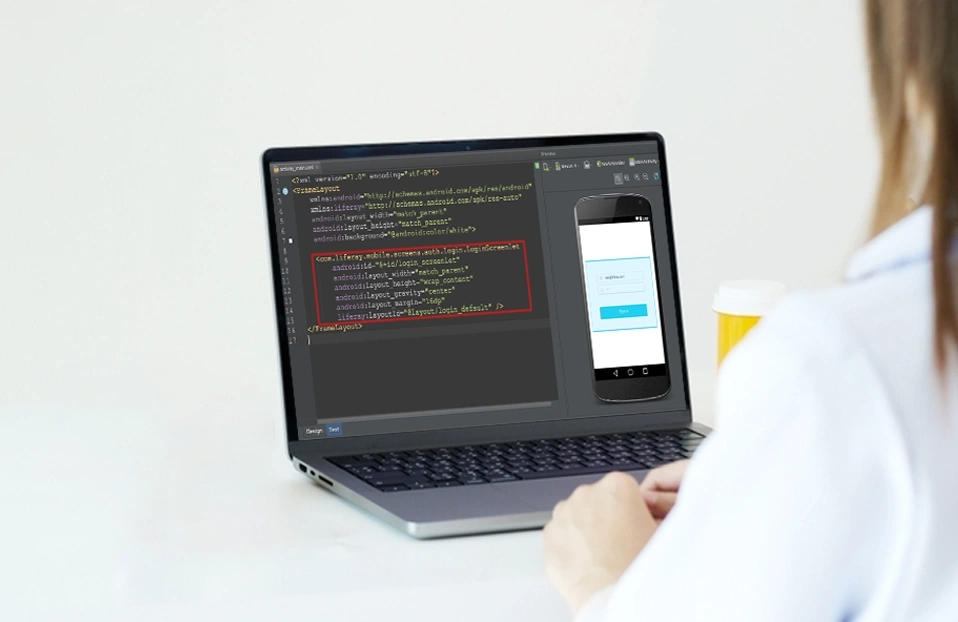
Liferay is built for enterprise integration, offering seamless connectivity with systems like SAP, Salesforce, and Microsoft 365. It supports REST and GraphQL APIs along with standards such as LDAP, SAML, and OAuth2 for secure authentication and single sign-on. It also enables headless content delivery and deep backend integration through Service Builder and remote services.
- WordPress
WordPress relies heavily on plugins for integrations, and enterprise-level connectivity often requires paid plugins, custom development, and manual REST API setups. This can increase maintenance effort and the risk of plugin conflicts affecting stability. In contrast, Liferay offers native enterprise integration capabilities, making it more suitable for seamless and secure connections with systems like CRM, ERP, and identity providers.
Customization Capabilities

- Liferay
Liferay provides powerful customization tools for enterprise development using Java and the OSGi framework. It supports custom portlets, reusable UI components, and flexible workflow creation through its built-in workflow engine. Developers can also extend functionality via local services and access platform data using REST and GraphQL headless APIs.
- WordPress
WordPress customization works through themes and plugins. you can install pre-built themes to change the look and feel of the site and add plugins to extend functionality. However, custom enterprise workflows are very limited compared to Liferay, and system integrations are plugin-based only, with no native enterprise integration layer.
Ease of Use

- Liferay
Liferay is designed for enterprise teams with role-based interfaces that show users only what they need. It provides drag-and-drop page building, content authoring tools, and workflow approvals for structured publishing. While initial setup requires technical expertise, day-to-day use is streamlined for business users across multiple sites and portals.
- WordPress
WordPress is easy to learn and use, especially for individuals and small teams, thanks to its block editor and simple publishing workflow. However, enterprise use often requires multiple plugins for roles, approvals, and advanced features, which can create complexity and inconsistency in management. Liferay, by contrast, provides a more structured, built-in system for roles, workflows, and multi-team content management, making it better suited for large organizations.
Scalability and Performance

- Liferay
Liferay is built for large-scale enterprise use with support for multi-site, multi-tenant, and multi-organization architectures. It includes clustering, load balancing, and caching to ensure high performance in distributed environments. It is commonly used for complex, integration-heavy systems such as government portals, banking, healthcare, and enterprise intranets.
- WordPress
WordPress can scale effectively, but only with proper hosting, caching plugins, and optimization. It also requires additional infrastructure planning for very high traffic websites. However, it performs well for small websites, blogs, and small to medium business sites.

Cost and Licensing

- Liferay
Liferay is available in two editions: Community Edition (CE), which is free and open source and suitable for developers and smaller projects, and Enterprise Edition, which is subscription-based and includes 24x7 official support, security updates, and Service Level Agreements (SLAs).
- WordPress
WordPress core is free and open source, but real-world deployments often involve additional costs such as hosting, premium themes, and paid plugins for security, SEO, and performance. Development and ongoing maintenance can also add to the total expense, especially for complex sites. While it remains cost-effective for small websites, enterprise use can become significantly more expensive over time.
Community Support and Ecosystem

- Liferay
Liferay has a focused enterprise community with forums, detailed documentation, and the LIFERAY.DEV developer hub for tutorials and code samples. Enterprise customers also get official support with SLAs and access to certified global implementation partners.
- WordPress
WordPress has a large global open-source community with thousands of themes, plugins, documentation, and strong developer and agency support, along with events like WordCamps. It is widely used for blogs, small business websites, and eCommerce through WooCommerce. However, it is less specialized for complex enterprise portals and integrations compared to Liferay’s ecosystem.
Why Organizations Choose Liferay
- Enterprise portals, self-service platforms, and digital workplaces.
- Seamless integration with ERP, CRM, legacy systems, and third-party applications.
- Flexible customization, low-code development, and composable architecture.
- Built-in CMS, workflows, document management, and user management capabilities.
- Multi-site, multilingual, and multi-brand digital experience delivery.
- Lower total cost of ownership with flexible cloud and on-premise deployment options.
Where WordPress Excels
- Small to medium-sized websites and blogs.
- Quick website development and deployment.
- Extensive plugin and theme ecosystem.
Conclusion: Which One Should You Choose?
The choice depends on what you are building: WordPress is best for simple websites, blogs, and small business sites due to its ease of use and cost-effectiveness. Liferay is better suited for enterprise portals, government systems, and complex applications requiring advanced workflows, integrations, and security. In short, WordPress focuses on content-driven sites, while Liferay is built for complex enterprise needs.
FAQ
What is the main difference between Liferay and WordPress?
Liferay is a Digital Experience Platform (DXP) built for enterprises with user management, workflow automation, and system integrations. WordPress is a CMS built mainly for content publishing like blogs and small websites.
Can WordPress be used for enterprise projects?
It can, but it requires heavy reliance on plugins, extra infrastructure planning, and custom development. It is not enterprise-ready out of the box like Liferay is.
Is Liferay free to use?
Yes. Liferay offers a free Community Edition (CE) for developers and smaller projects. For enterprise use, there is a paid Enterprise Edition that includes 24x7 support and SLAs.
Which platform is better for system integration?
Liferay. It has native support for REST and GraphQL APIs, LDAP, SAML, OAuth2, and connectors for systems like SAP and Salesforce. WordPress depends entirely on third-party plugins for integration.
Which platform is easier to use?
WordPress is easier for individuals and small teams to get started with. But for enterprise teams managing multiple departments, content approvals, and user roles, Liferay's structured interface is more practical and organized.
Who should choose Liferay over WordPress?
Any organization building a government portal, banking system, corporate intranet, or multi-department platform that needs real user management, workflow automation, and enterprise-grade security should choose Liferay.