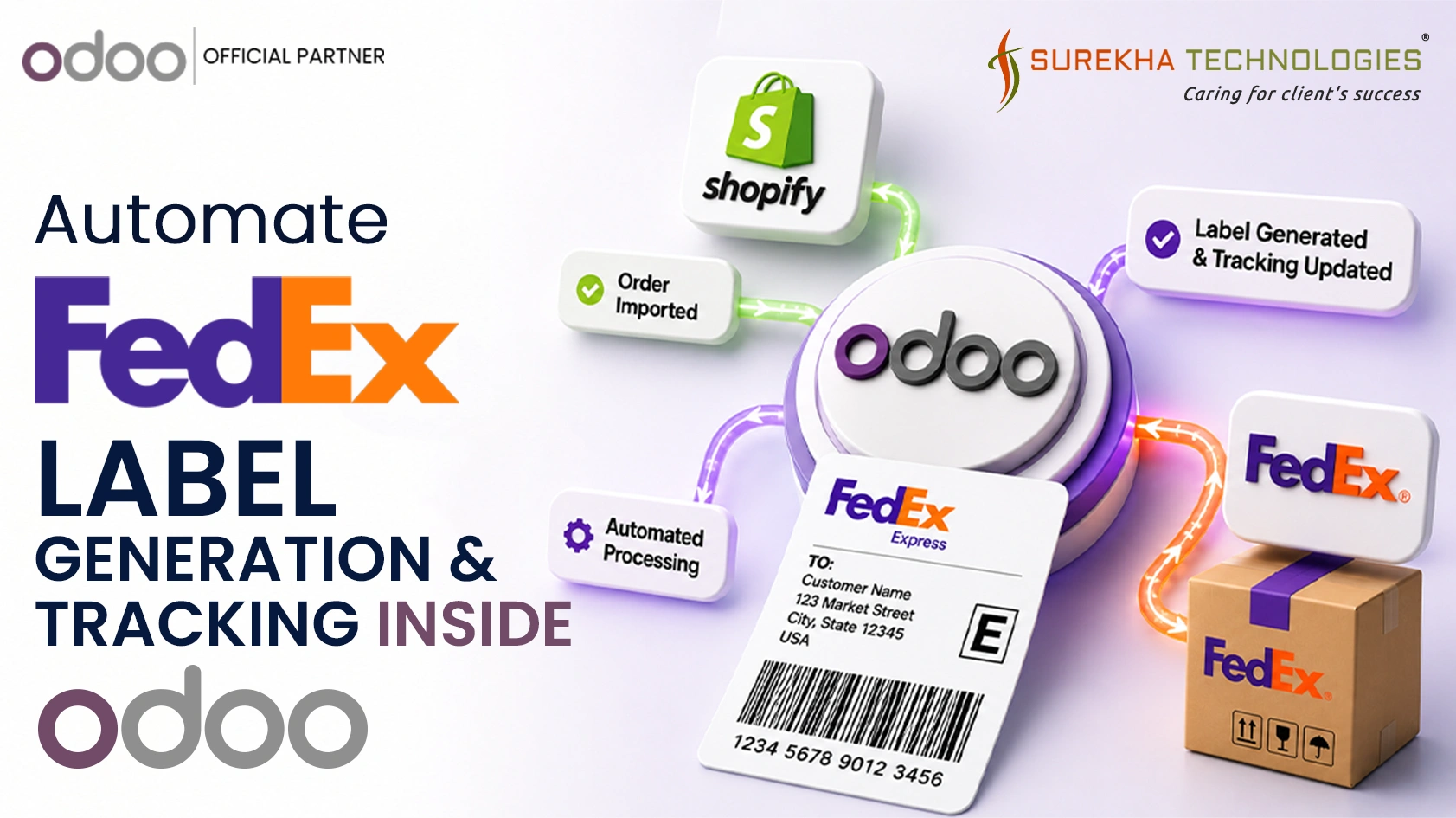
Automating your shipping process seems easy enough at first glance, just connect your store, print out the shipping label, and ship it. But for companies that handle hundreds of orders per day, the difficulty comes from the "data gap" between placing the order and delivering it to the customer's doorstep.
The Logistics Bottleneck: Why Manual Systems Fail to Scale
Logistics can be extremely difficult if there are disconnects and gaps in the technology used to track the entire process. Utilizing external software solutions and manually logging data for carriers can be very inefficient and result in issues related to fulfillment speed and lack of visibility into the entire supply chain process.
Common pain points in a manual environment include:
- Data Gaps: Lack of integration between the ERP and the delivery portal causes disjointed workflow and prevents data sharing.
- Data Inaccuracy: Human errors become common when manually logging shipping information. Incorrect addresses and selected services may cause shipment failure or delays.
- Tracking Complexity: Managing multi-piece shipments with isolated tracking numbers creates operational inconsistencies and confusion for customer service teams.
A unified automated shipping ecosystem is essential for businesses looking to scale effectively while maintaining a high standard of customer experience.
How the Workflow Works
The integration follows a linear flow where each system triggers the next:
- An order placed on Shopify lands in Odoo via connector
- The Odoo team processes and confirms the order
- A FedEx label is generated directly from the Odoo delivery order
- FedEx creates the shipment and returns a tracking number
- Shopify is updated with the fulfillment and tracking number
- FedEx sends status updates back to Odoo via webhooks
- The customer receives SMS and email notifications at each milestone
Every step is automated. Nothing moves manually between systems.
Order Sync from Shopify to Odoo
Orders placed on Shopify flow into Odoo automatically via the Shopify–Odoo Connector, following the standard sales confirmation and delivery order creation flow — from where the FedEx integration takes over.
Setting Up FedEx in Odoo
The connection with the carrier is based on Odoo’s FedEx Delivery Module, which deals with the exchange of information between the delivery orders within Odoo and FedEx API. Prior to setting up the live environment, all API processes were extensively tested using the FedEx Sandbox, namely creation of shipments, labels creation, rates, tracking events simulation, and webhooks delivery. This ensured that the integration was fully validated before any real shipment was processed.
The delivery method is configured in Odoo with the FedEx API credentials, shipping account details, service type, and packaging preferences.
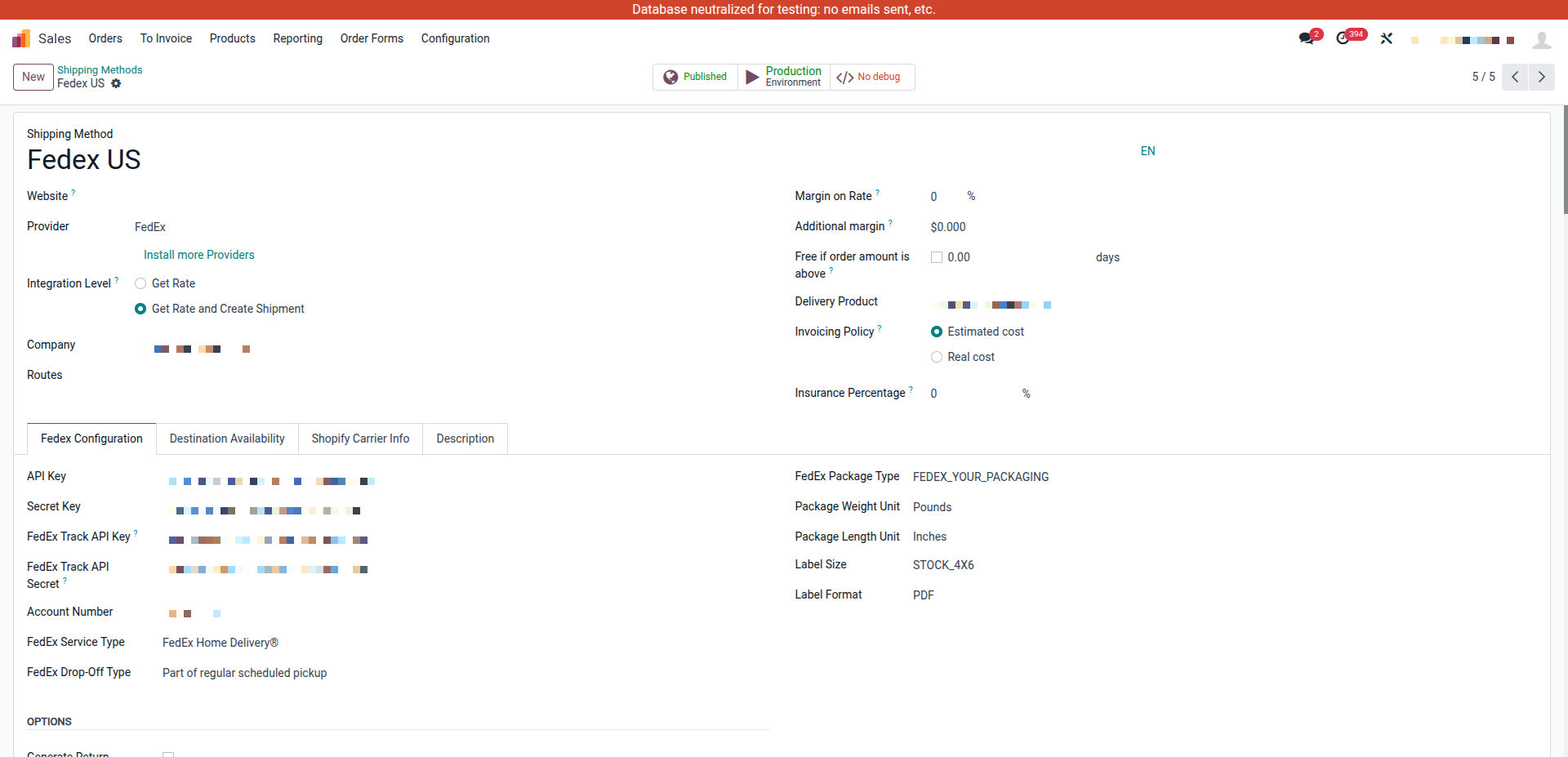
Once configured, Odoo knows how to talk to FedEx for every delivery order that uses this carrier.
Generating FedEx Labels from Odoo
The warehouse team no longer needs to toggle between multiple platforms. Within the Odoo Delivery Order, a "Generate FedEx Label" button acts as the primary trigger.
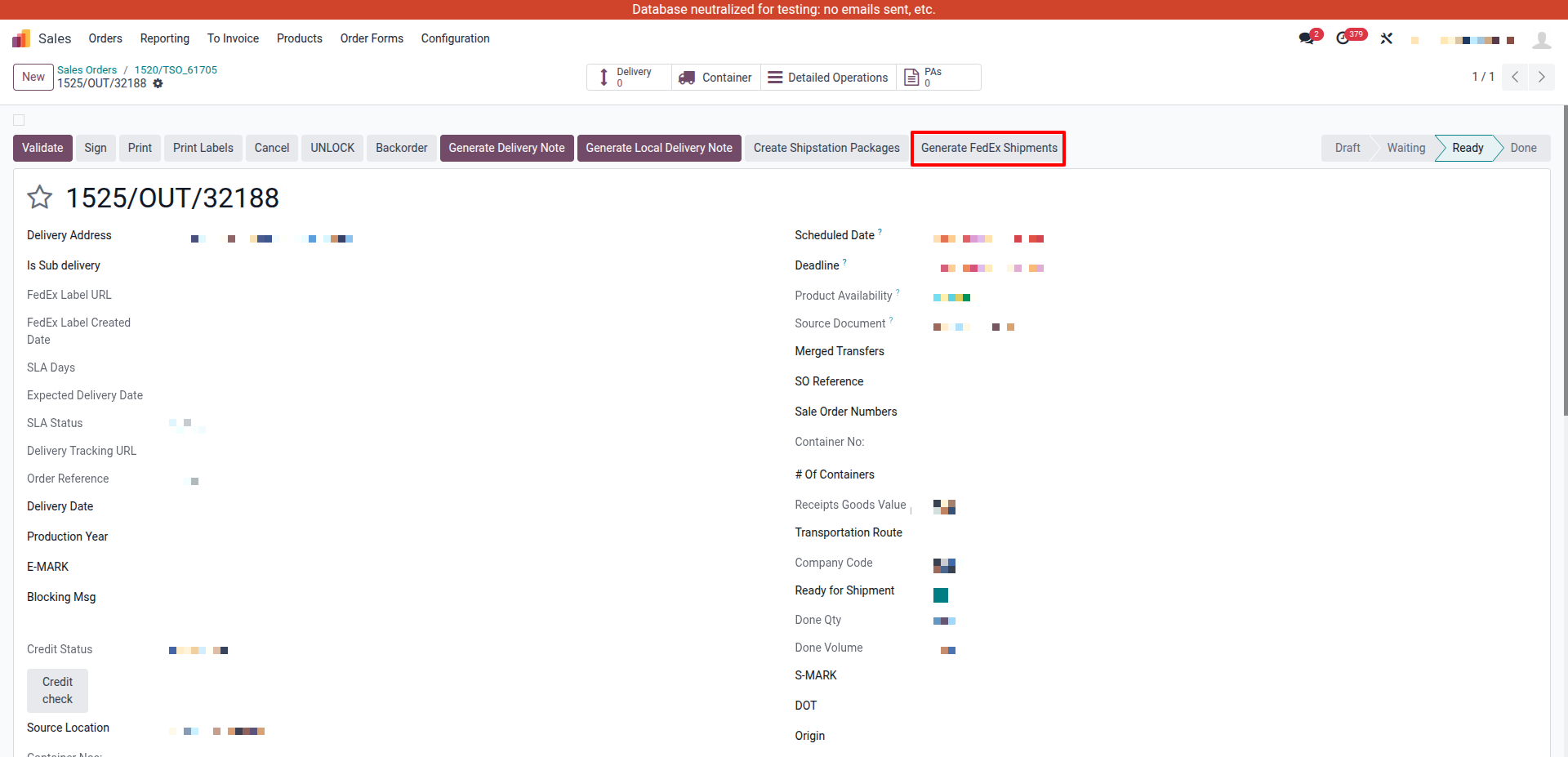
Clicking this button executes three background actions:
- Sends JSON shipment details to the FedEx API.
- Attaches the returned PDF shipping label directly to the Odoo record.
- Captures and stores the master tracking number.
The warehouse team can print the label immediately. The shipment is now live in FedEx's system.
Fulfillment Update Back to Shopify
The tracking information is always scanned into Odoo; at the same time, an API call is made to Shopify's fulfillment API to mark the order fulfilled in Shopify, and to add the FedEx tracking number to that order in Shopify.
When the above happens, the customer also receives an email from Shopify confirming shipment of the order with an actual FedEx tracking link.
Real-Time Tracking via FedEx Webhooks
Label generation is only the beginning of a shipment's lifecycle. To keep Odoo updated as the package moves, FedEx Webhooks were implemented. FedEx sends an event notification to a registered endpoint every time a shipment status changes — picked up, in transit, out for delivery, delivered, or any exception or delay.
Each incoming webhook event is parsed and mapped to the correct delivery order in Odoo, updating its status instantly. The operations team always sees the current state of every shipment without logging into FedEx's portal.
Custom Tracking Dashboard in Odoo
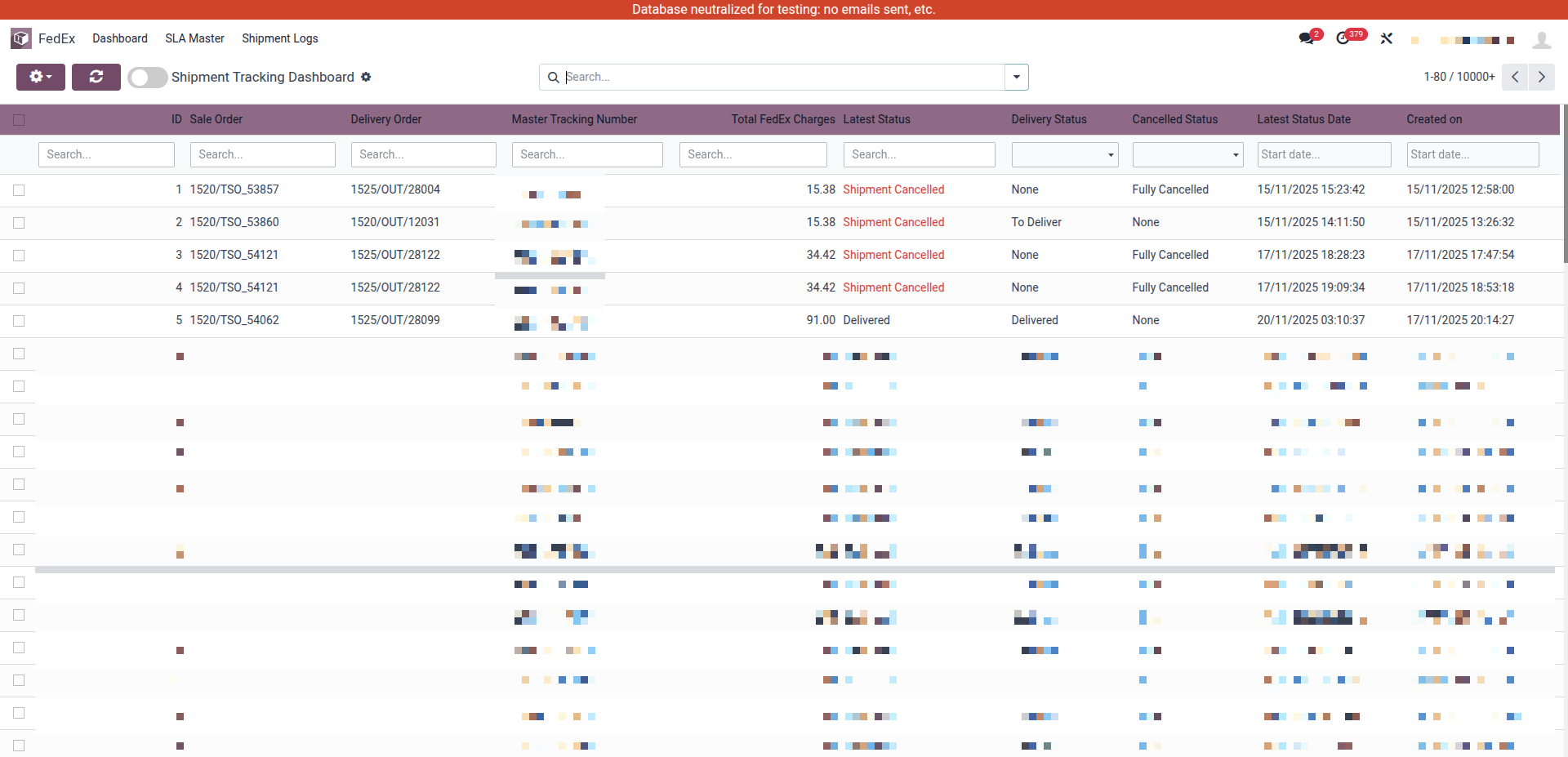
Label generation is only the first step. To provide 360-degree visibility, a custom Logistics Dashboard was built to monitor the lifecycle of every package.
List View
Provides a high-level overview of order references, real-time FedEx statuses, and the last updated timestamps.
Detail View & Timeline
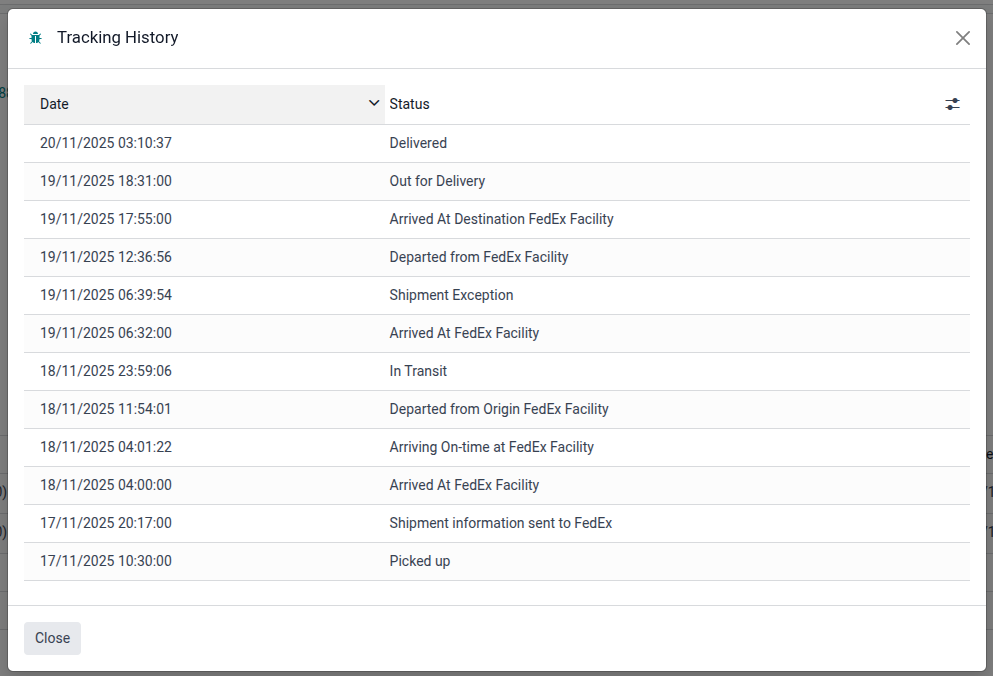
Shows the complete chronological event log for a single shipment, as returned by FedEx webhooks.
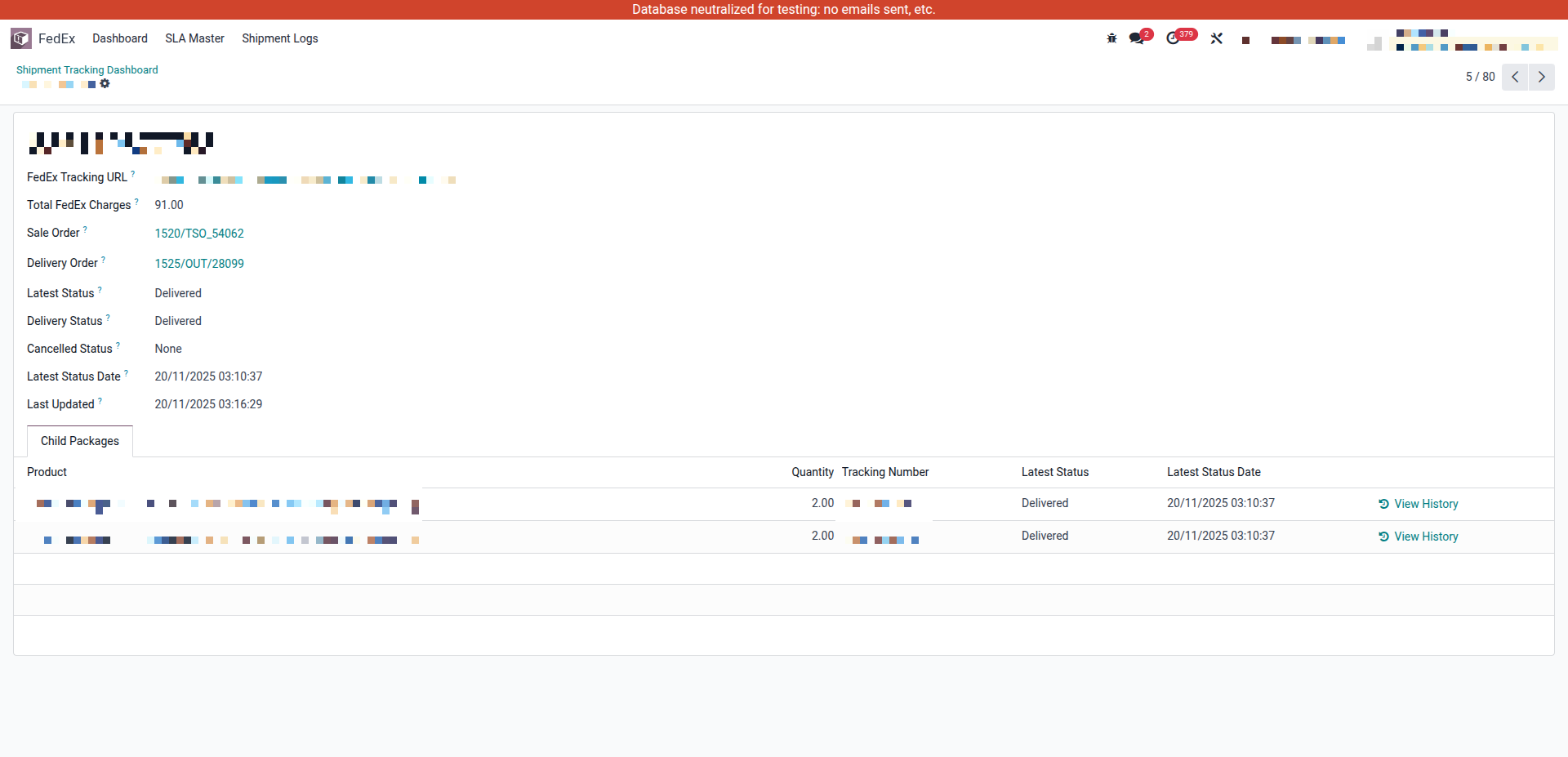
Opening any shipment shows its complete FedEx event timeline — every status update with its exact timestamp, exactly as returned by FedEx. This gives full traceability for every package, directly inside Odoo.
Automated Customer Notifications
By utilizing FedEx webhooks, Odoo dispatches proactive SMS and email alerts the moment a shipment status changes. This transparency reduces inbound customer service inquiries and builds significant trust.
Notifications are sent at the following milestones:
Conclusion
This implementation was more than a technical upgrade; it was a shift from a fragmented manual struggle to a unified, automated shipping ecosystem. By centralizing data in Odoo, the business achieved faster fulfillment, zero data redundancy, and a superior customer experience.
FAQ
Why integrate FedEx directly with Odoo?
Integrating FedEx with Odoo eliminates manual data entry, reduces shipping errors, automates label generation, and provides real-time shipment tracking from a single platform. This helps businesses improve fulfillment speed and operational efficiency.
What are FedEx webhooks and why are they important?
- FedEx webhooks are automated notifications sent whenever a shipment status changes. These events allow Odoo to receive real-time updates such as:
- Shipment picked up
- In transit
- Out for delivery
- Delivered
- Delivery exceptions
- This eliminates the need to manually check shipment status in the FedEx porta
Can Odoo display real-time shipment tracking information?
Yes. Shipment statuses received through FedEx webhooks can be displayed directly within Odoo, allowing warehouse, operations, and customer service teams to monitor deliveries without leaving the ERP system.
How are customers notified about shipment updates?
- Odoo can automatically send SMS and email notifications when shipment milestones occur, such as:
- Shipment created
- Package picked up
- Out for delivery
- Delivered
- Delivery exception or delay
- This improves customer experience and reduces support inquiries.
Can Odoo automatically generate FedEx shipping labels?
Yes. Once the FedEx carrier is configured in Odoo, users can generate shipping labels directly from the delivery order. Odoo sends the shipment details to FedEx, receives the label PDF, and stores the tracking information automatically.