Today's businesses rarely operate as a single entity. It has become increasingly common to have our big group with a host of subsidiaries, regional offices, or business units, each with its own set of legal, financial, or operational responsibilities. This poses a great challenge to ERP solution developers: How do we design and implement systems, wherein isolation at the company level will be ensured, yet collaboration and consolidated reporting shall occur?
Multi-Company is one such architecture within Odoo. It allows for the existence of a set of companies within a single Odoo database, ensuring that companies are free to share data or keep separate workflow processes while preparing reports or that companies have the option to prepare individual reports or consolidated reports.
The catch, of course, is still in the power of the framework: with depletion of good development principles, one can destroy the fragile balancing architecture of isolation and integration. Developers must design custom modules, domains, and workflows in at least a reasonable way that respects company boundaries.
This blog will guide you through developer best practices, real-world examples, common issues, and tips for building strong Multi-Company solutions in Odoo.
The Foundation: How Multi-Company Works in Odoo
At its core, Odoo handles multi-company setups using two key principles:
- Company Context: Every Odoo request runs under an active company (self.env.company). Users may switch companies, but the system enforces rules based on this context.
- Company Field: Most models that contain company-specific data include a company_id field. This ensures that records are tied to a specific company unless marked as global (company_id = False).
Developer Insight
- self.env.company -> Returns the active company.
- self.env.companies -> Returns the list of companies the user can access.
Think of this as Odoo’s guardrail system. Your job as a developer is to never break those guardrails.
Always Include company_id in Custom Models
- When creating custom models (say, for handling warranties, vendor portals, or project extensions), it’s tempting to ignore company references. But skipping company_id means your records could show up everywhere, breaking security and business logic.
-
 company_id = fields.Many2one(
    'res.company',
    string="Company",
    required=True,
    default=lambda self: self.env.company,
    index=True
) - Why required? Because every business record should belong to a company by default.
- Why default? Developers often forget to manually assign a company when creating records programmatically. Using self.env.company ensures safety.
- Why index? Filtering by company is frequent, and indexing improves performance.
Handle Shared vs. Company-Specific Records
Not all records belong exclusively to a company. For example:
- Shared records: Partners (customers/vendors), products, or currencies. These often have company_id = False, meaning they’re global.
- Company-specific records: Journals, warehouses, users, invoices, and most transactions.
Best Practices
When writing domains, allow for both:
Sometimes, certain records like products or partners are shared across all companies. At the same time, some records are specific to a single company. You can apply this domain to guarantee that the two cases are treated properly:
domain = ['|', ('company_id', '=', False), ('company_id', '=', self.env.company.id)]
The domain lets shared (global) records be seen, but it restrains visibility for company-specific records.
In other words, users see everything they’re supposed to, without accidentally seeing data from other companies.
Secure Data with Record Rules
Record rules define what users can see. Skipping them risks exposing data across companies.
Example: Restrict tasks to allowed companies.
    Task company access

    [('company_id', 'in', user.company_ids.ids)]
This ensures users only see records from companies they can access.
Switch Context with with_company()
Sometimes workflows cross companies, such as creating invoices between subsidiaries.
By default, records may land in the wrong company. Use with_company() to switch safely:
target_company = self.env['res.company'].browse(company_id)
self = self.with_company(target_company)
Think of it as saying: “For the next few actions, act as if you’re in this company.”
Test in Multi-Company Scenarios
Testing in single-company mode hides problems. Always:
- Create at least two companies in dev.
- Test with users assigned to multiple companies.
- Switch companies frequently.
- Write automated tests with with_company().
Pro Tip: Add demo data with cross-company partners, journals, and warehouses to reveal edge cases.
Multi-Company Configuration: Step-by-Step
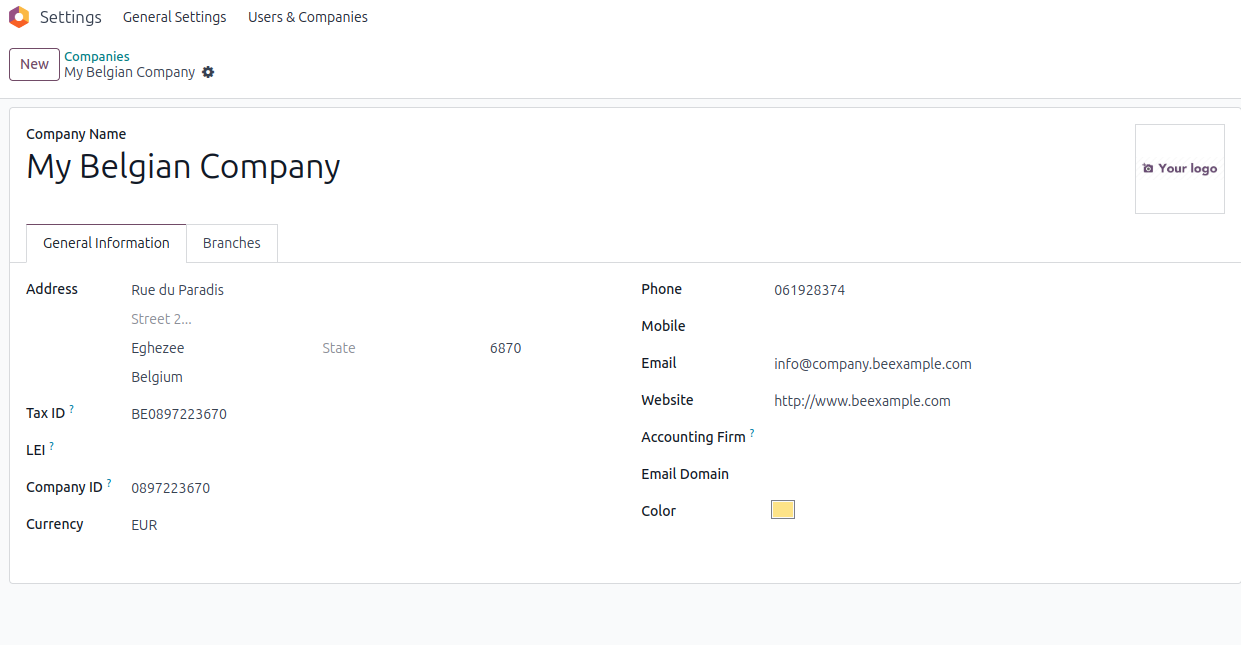
Step 1: Create Companies
Go to Settings > Companies > Create.
Fill in details for each company:
- Company Name
- Address
- Currency (can be different for each company)
- Chart of Accounts (Odoo allows per-company accounting)
Assign users to one or more companies:
- Go to Settings > Users
- Under Allowed Companies, select which companies they can access
- Set a Default Company
Once done, you’ll see a Company Switcher in the top-right of your Odoo dashboard.

Step 2: Enable Inter-Company Transactions
- Go to Settings → Inter-Company Transactions.
- Enable automations you need (Sales ↔ Purchases, Bills ↔ Invoices, Deliveries ↔ Receipts).

Generate Bills and Refunds
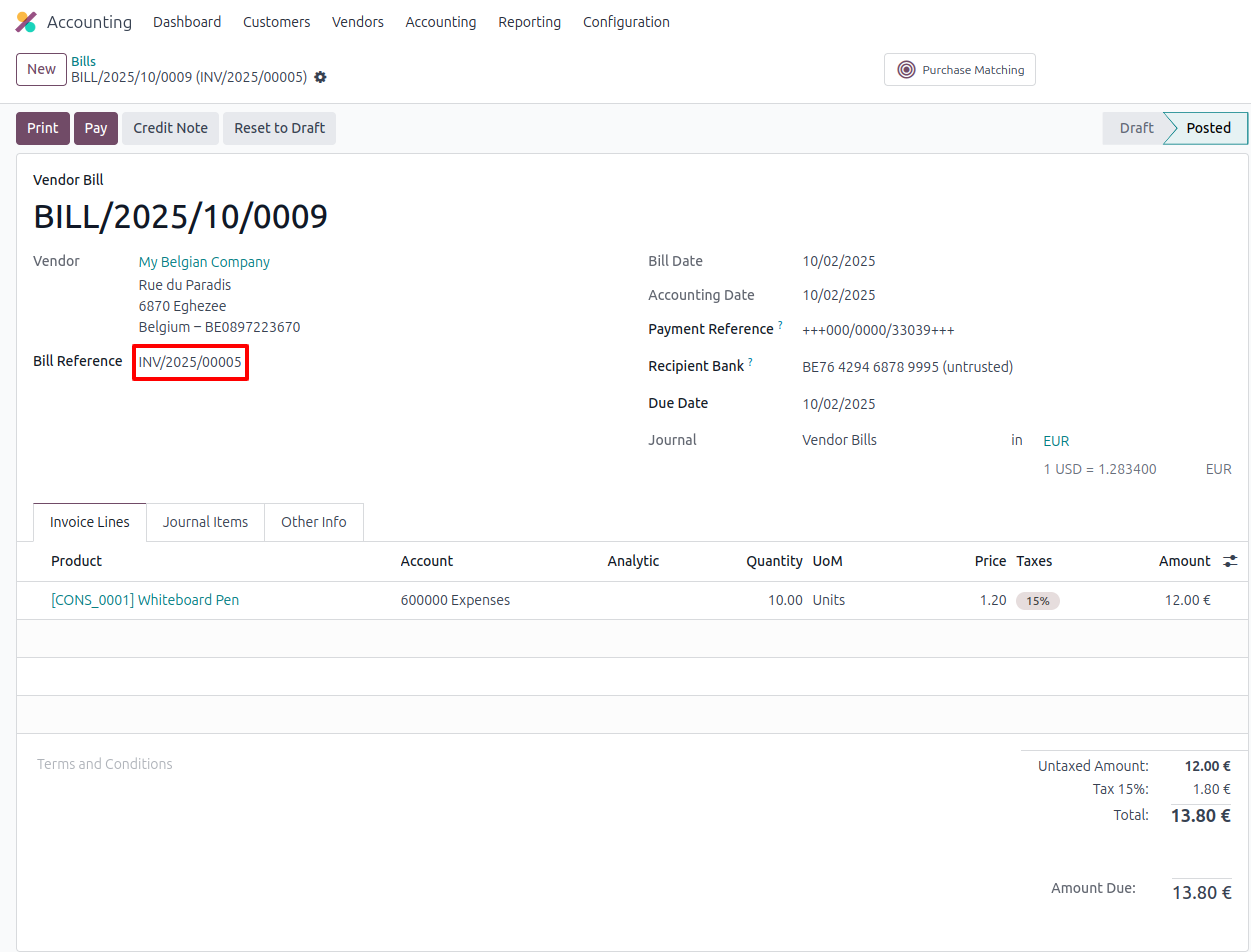
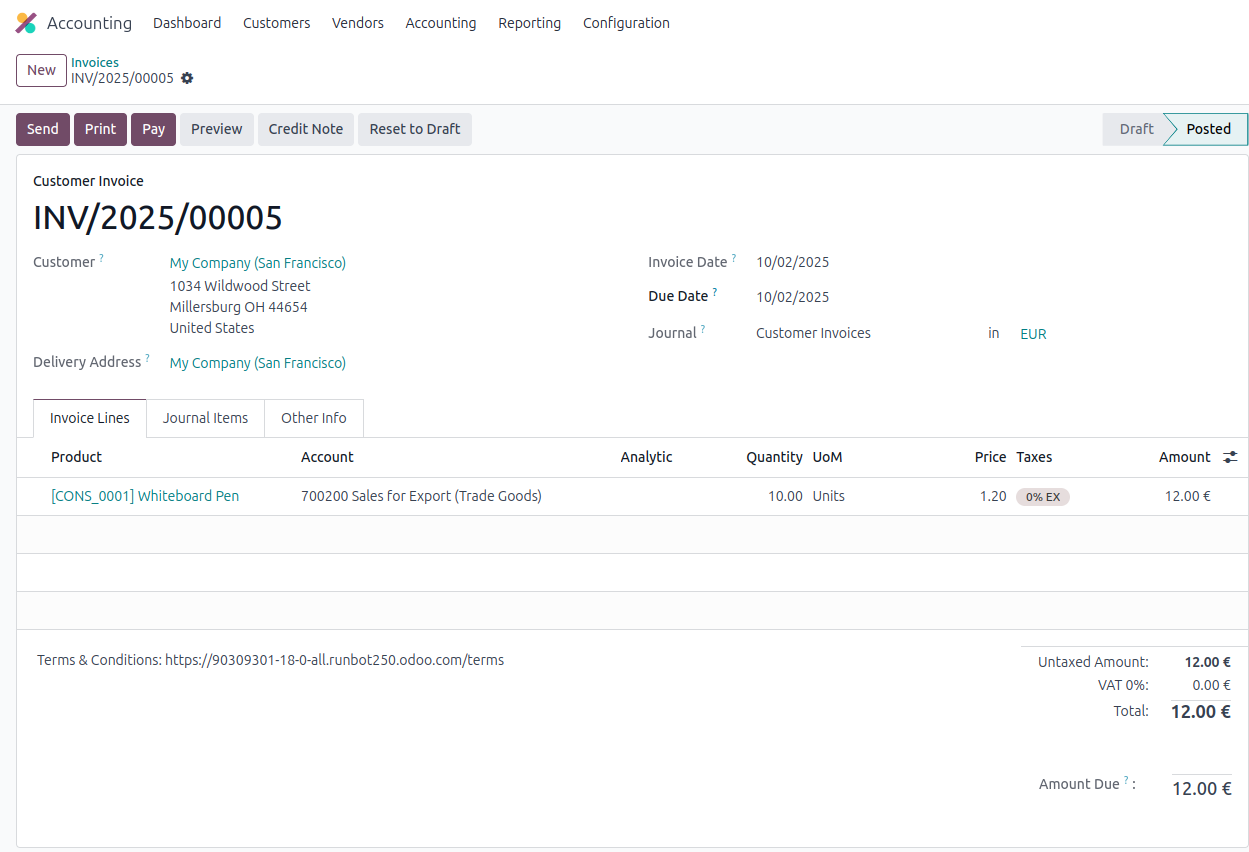
- When one company creates a Vendor Bill, Odoo auto-generates the Customer Invoice in the other company.
- Create in draft → counterpart is created but stays unvalidated.
- Create and validate → counterpart is created and validated automatically.
Generate Sales Orders
- Example: Company A creates a Purchase Order for Company B → Odoo generates a Sales Order in Company B.
- Great for parent–subsidiary relationships (e.g., Head Office buying from its own branch).
Generate Purchase Orders
- Example: Company A creates a Sales Order to sell to Company B → Odoo generates a Purchase Order in Company B.
- Keeps buying and selling synced without duplicate data entry.
Use Warehouse & Operations
- You can configure warehouses per company.
- Inter-company rules can automatically:
- Create Receipts in one company when the other confirms a Delivery Order.
- Sync stock movements between two entities.
Synchronize Deliveries and Receipts
- If Company A ships goods (Delivery Order), Company B automatically gets a corresponding Receipt.
- Keeps inventory accurate across companies without manual intervention.
Step 3: Choose Options
- Create in Draft → counterpart documents require validation.
- Create and Validate → auto-approved documents.
- Synchronize Deliveries and Receipts → inventory updates across companies.
Example Workflow
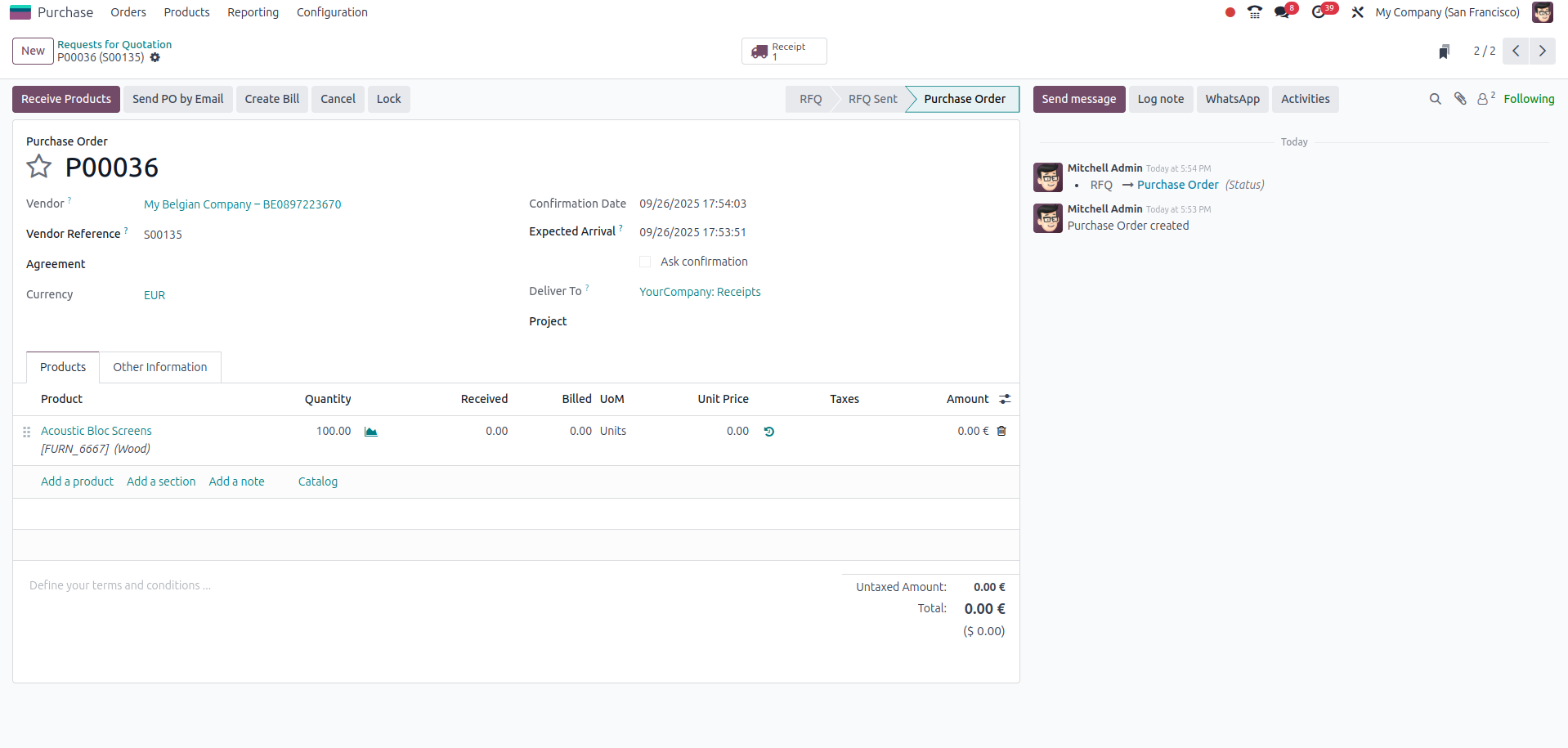
Two companies:
- Company My Company (San Francisco) → Supplier
- Company My Belgian Comapny → Buyer
- Company My Company (San Francisco)creates a Purchase Order.
- Odoo generates a Sales Order in Company My Belgian Comapny.
- Company My Belgian Comapny confirms the Sales Order → creates a Delivery Order.
- Company My Company (San Francisco) automatically gets a Receipt.
- Company My Belgian Comapny issues an Invoice → Odoo generates a Vendor Bill in Company My Company (San Francisco).
All documents stay synchronized across companies.

Conclusion
Odoo’s multi-company framework empowers businesses to run independently yet remain connected under one system.
For developers, the challenge is ensuring:
- Data security (via company_id, record rules).
- Correct workflows (using context and with_company()).
- Scalability (avoiding hardcoded IDs, over-customization).
By following these best practices, you’ll build secure, scalable, and upgrade-friendly multi-company solutions that bring out the true power of Odoo as an enterprise ERP.