Smart BOM Kit Customization in Odoo for Sales & Delivery Efficiency
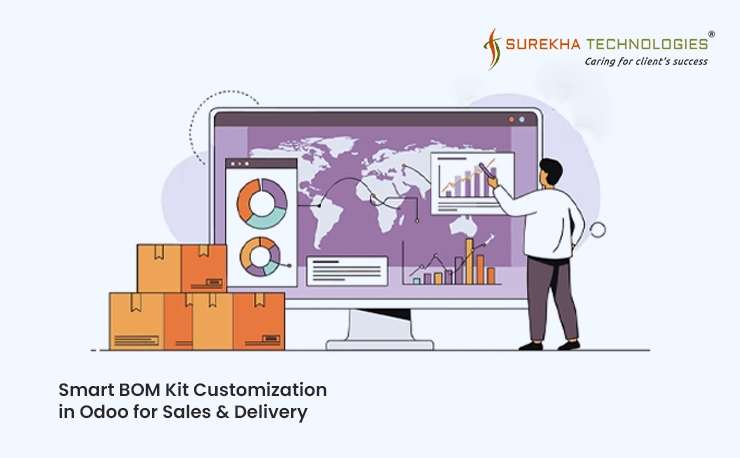
We successfully handled over 3,500 kit products by making the process smooth and efficient through smart customization, which enabled direct management of kits via sales orders.
A leading Belgian fencing company offering aluminum, wire, wooden, and soundproof barriers for both residential and commercial clients faced frequent custom requests. We implemented BOM editing in sales orders, allowing easy kit modifications with automatic updates to pricing, margins, and deliveries for accurate and efficient shipments.
- Number of employees: 15
Project Brief
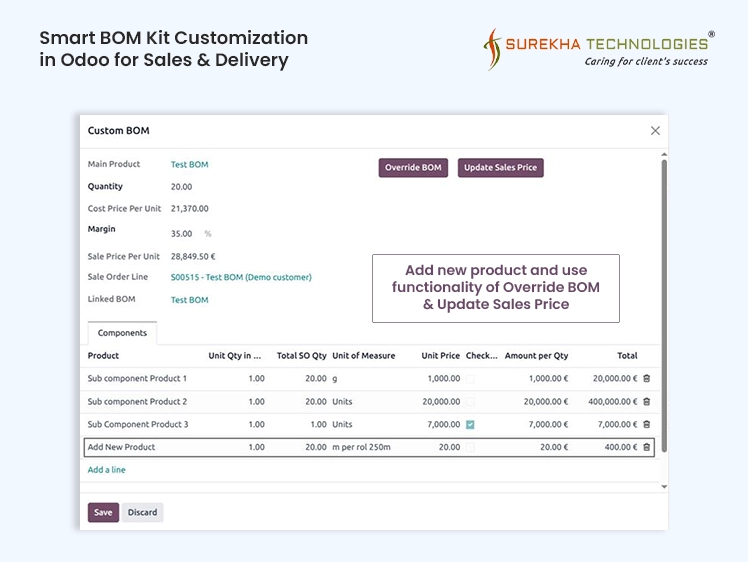
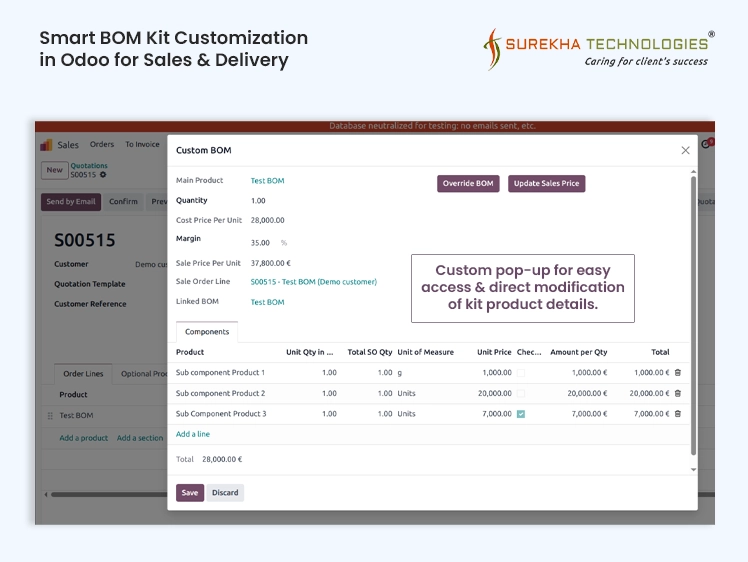
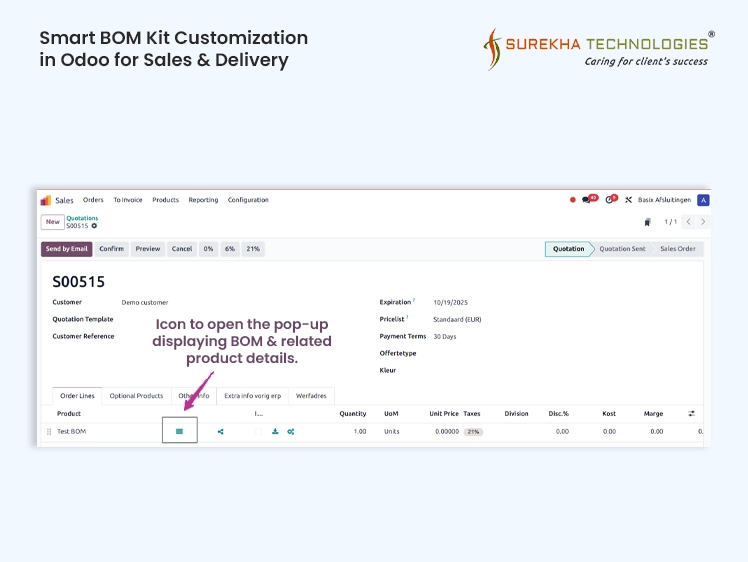
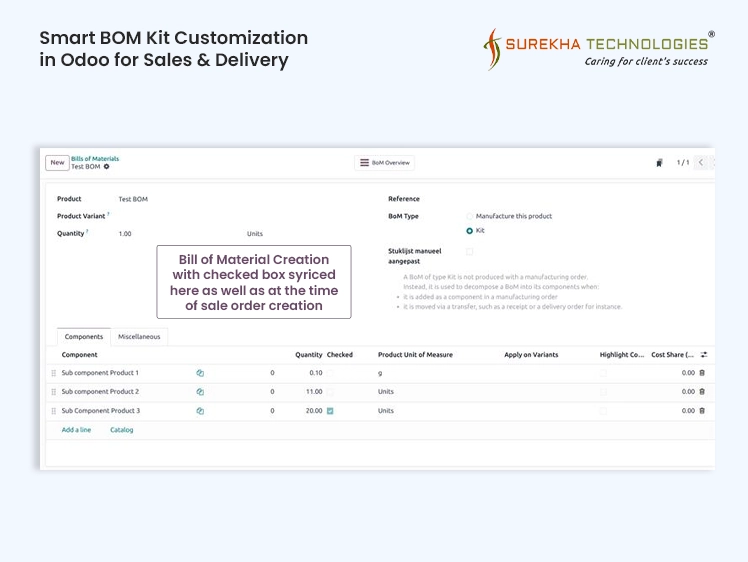
This project was about making kit products easier to manage in Odoo. Instead of going to different screens, the sales team can now open a small pop-up right from the sales order to see and edit the components of a kit. They can change quantities, add or remove parts, and even update the final price of the product without leaving the order. It’s simple and keeps everything in one place.
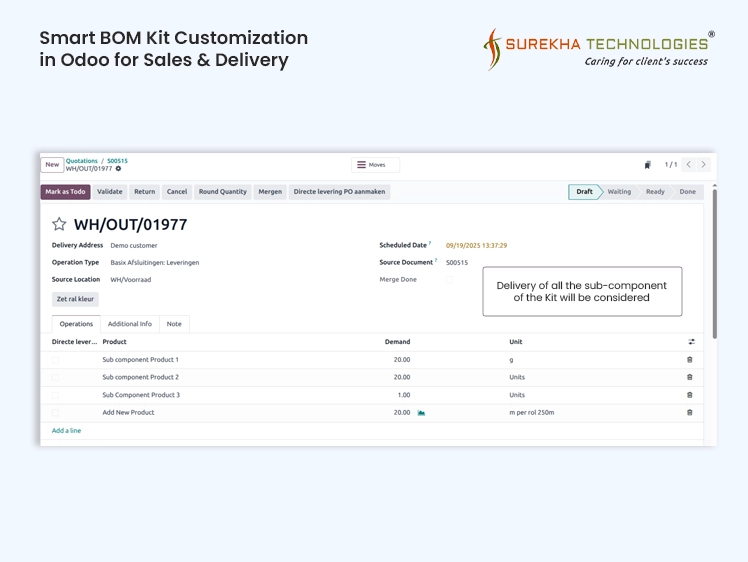
We also made sure these changes carry through the rest of Odoo. The prices and margins update automatically, and the delivery order is created with the right items so the warehouse knows what to ship. Nothing in the usual Odoo flow was broken — it just works the way people expect, but now with more flexibility for handling kit products.
Business Needs / Challenges
Technology Stack


Implementation Overview
Business Impact

Easy management of large kit product volumes
The client needed to handle thousands of kit products, and the new setup made it practical. More than 3,500 kits could be configured and managed directly from sale orders without the process becoming messy or slow. What used to feel overwhelming became a routine task.

Dynamic product selection in BOM saved effort
Instead of opening each kit product separately and making manual edits, users could now adjust components on the fly within the sale order itself. This cut down work which was repeated and gave the sales team more time to focus on customers rather than admin tasks.

Replacing an extra software with Odoo
Before this customization, the client relied on a separate tool just to manage kit configurations. With the new feature in Odoo, they no longer needed that extra software. Everything could be managed in one place, making processes faster, data more consistent, and the overall system easier to maintain.

Seamless Fit with Odoo’s Delivery Flow
Even with all the customizations, the delivery process continued to work with Odoo’s standard logic. Any updates in the custom BOM automatically reflected in deliveries without breaking the default flow. This meant the warehouse team could keep using Odoo as they always had, with no extra training or disruption.
201, 3rd Eye II, Nr. Panchvati Circle, CG Road, Ahmedabad
+91 75748 05354

Happy to Connect, Let’s talk.
DXP | ERP | E-Commerce | AI-ML | DevOps | Bespoke Solutions
Trusted By
Happy to Connect, Let’s talk.
DXP | ERP | E-Commerce | AI-ML | DevOps | Bespoke Solutions
Trusted By
