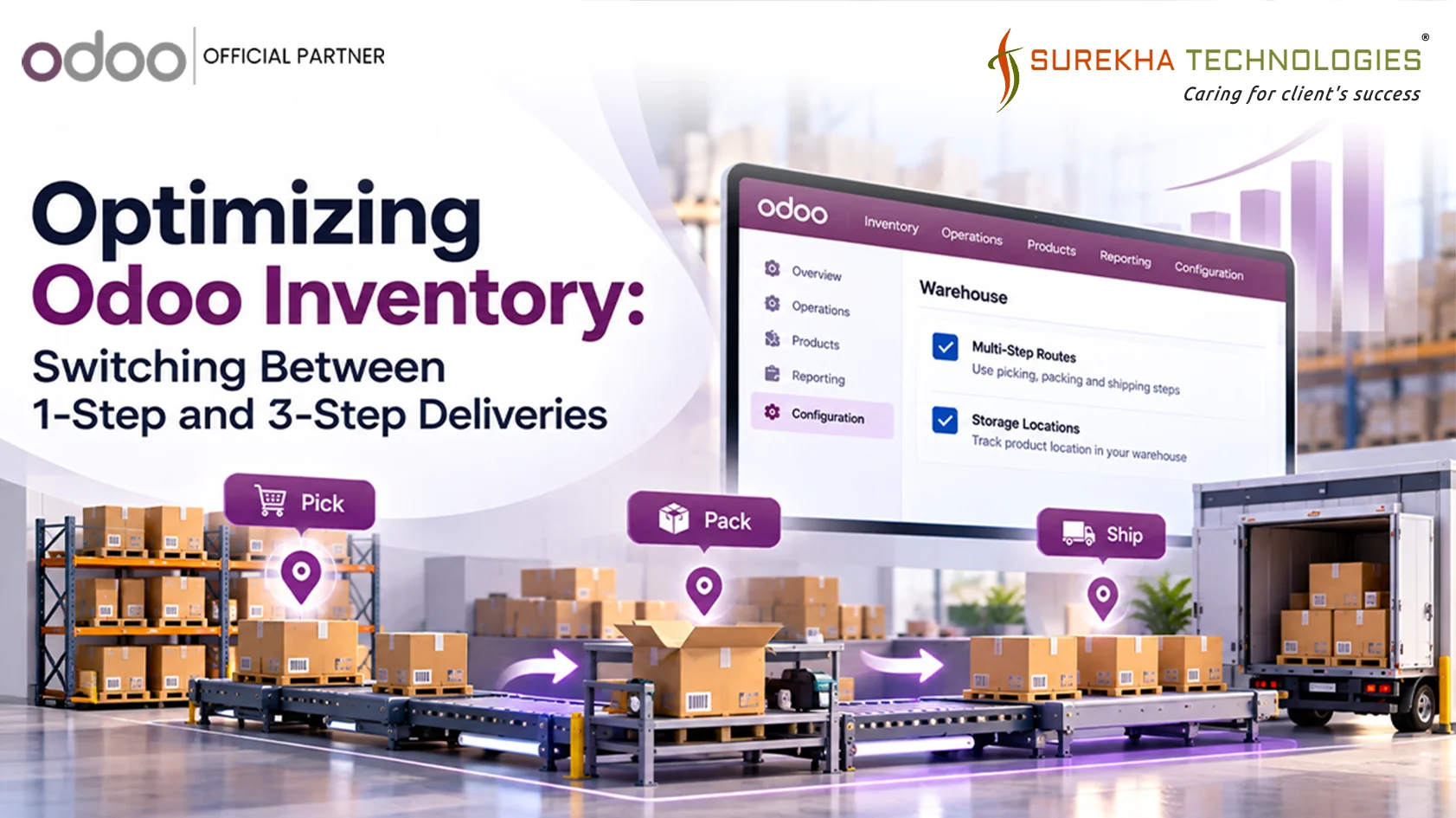
A common question we see popping up on supply chain forums is how to properly configure Odoo’s delivery steps. Many businesses start with a simple 1-step delivery process, but as order volume grows, they realize they need a more structured workflow (like picking items, packing them in boxes, and then shipping them out).
In Odoo, transitioning from a basic 1-Step Delivery (Ship directly) to an advanced 3-Step Delivery (Pick → Pack → Ship) is built right into the system. But where exactly do you configure this, and how do you handle the transition?
Here is your step-by-step guide to configuring your Odoo Inventory for 1-Step vs. 3-Step deliveries.
Step 1: Enable Multi-Step Routes in Settings
Before modifying your warehouse operations, you must unlock Odoo's advanced routing features. By default, Odoo keeps things simple to avoid clutter, so it hides these features.
How to Proceed:
- Navigate to the Inventory app.
- Go to Configuration > Settings.
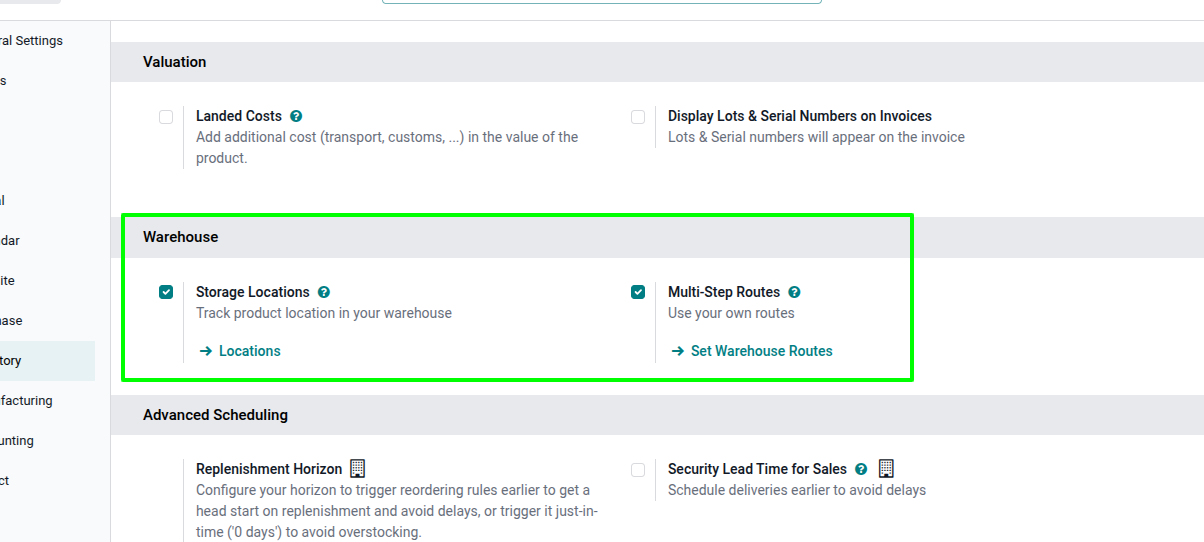
- Scroll down to the Warehouse section.
- Check the box for Multi-Step Routes. (Note: This will automatically enable the "Storage Locations" feature as well, which is required.)
- Click Save in the top left corner.
Now that the feature is unlocked, configure the specific warehouse to follow the required operating procedure.
The Recommended Approach
- Stay in the Inventory app and go to Configuration > Warehouses.
- Click on your warehouse (usually named YourCompany or WH).
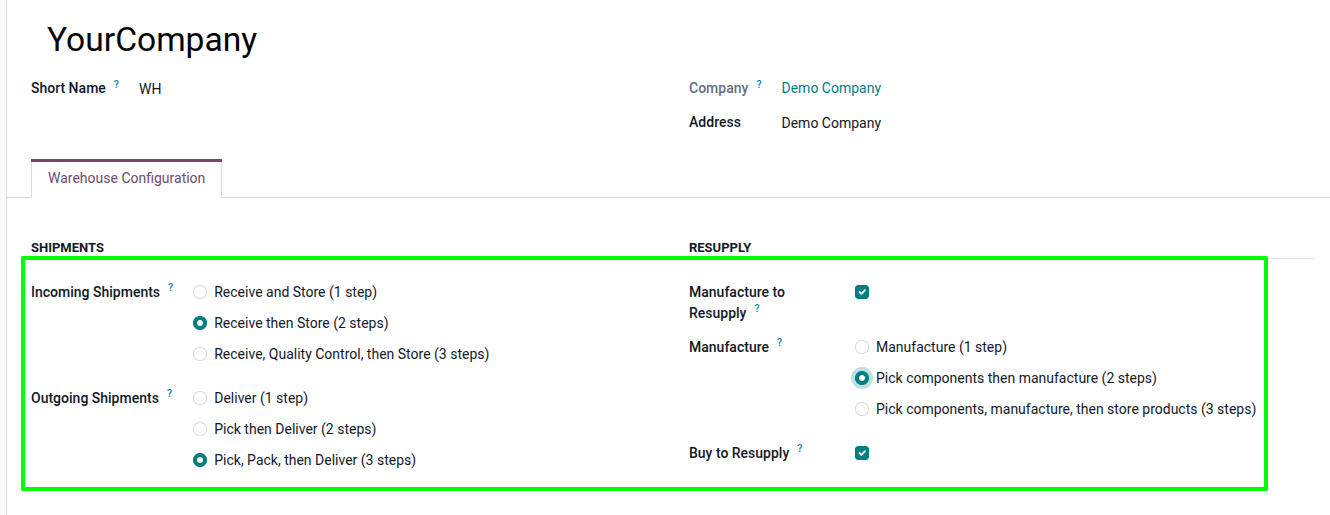
- Look at the Outgoing Shipments configuration section.
- You will see three options. This is where the magic happens:
- Deliver goods directly (1 step): The default. Items go straight from Stock to the Customer.
- Send goods in output and then deliver (2 steps): Pick to an output location, then ship.
- Pack goods, send goods in output and then deliver (3 steps): Pick from stock, pack in a dedicated zone, and then ship from the output dock.
Select the 3 steps option and click Save.
Need help optimizing your Odoo warehouse workflow?
Talk to our team to explore the right Odoo setup for your warehouse.
Step 3: Understanding the New Workflow (How to handle it)
When you make this switch and click Save, Odoo unarchives the new locations (Packing Zone and Output) and generates new picking operation types behind the scenes.
Here is how your warehouse team will now process a Delivery Order:
The 1-Step Workflow (Before)
What it looked like: When a Sales Order was confirmed, Odoo generated a single Delivery Order (WH/OUT).
How your team handled it: The warehouse worker found the items, put them in a box, handed them to the carrier, and clicked Validate.
The 3-Step Workflow (After)
When a new Sales Order is confirmed, Odoo will now generate three linked operations.
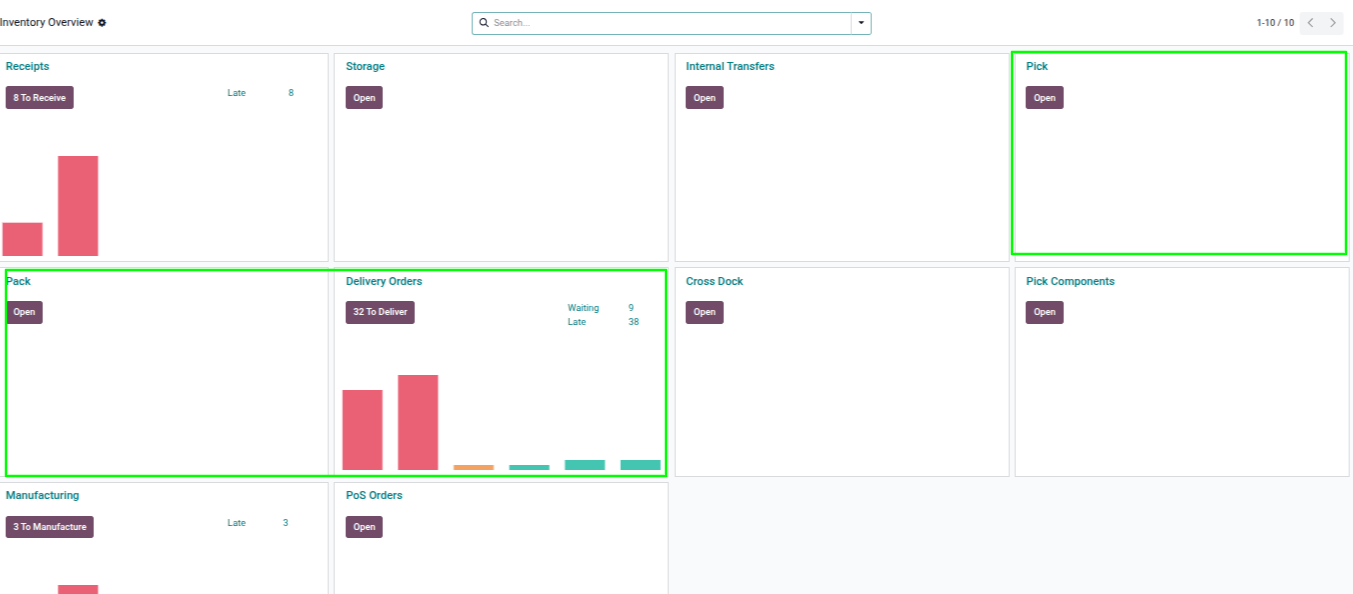
Step 1: Pick (Internal Transfer)
- Where to find it: The Pick operation type on the Inventory dashboard.
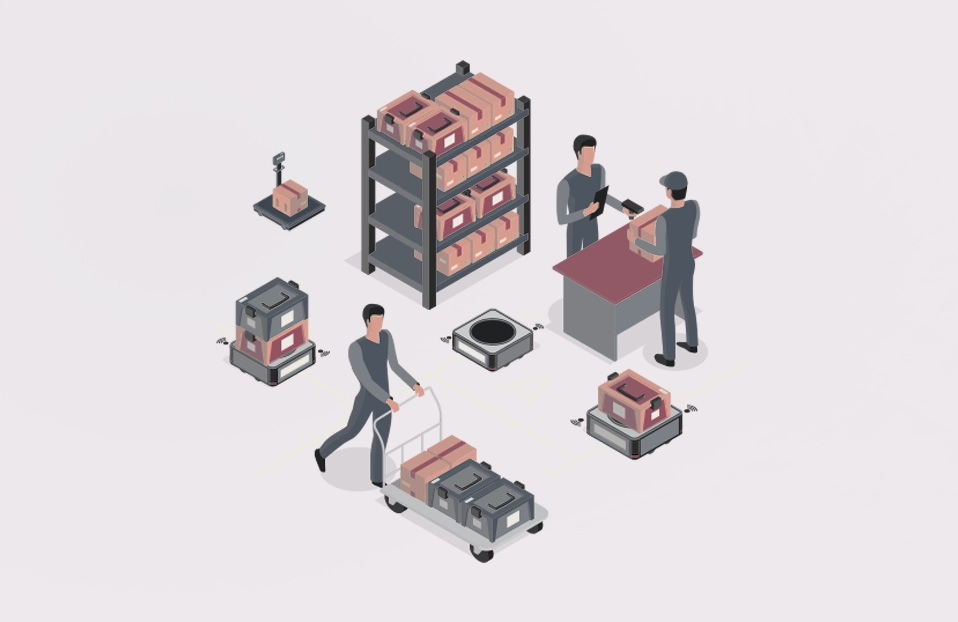
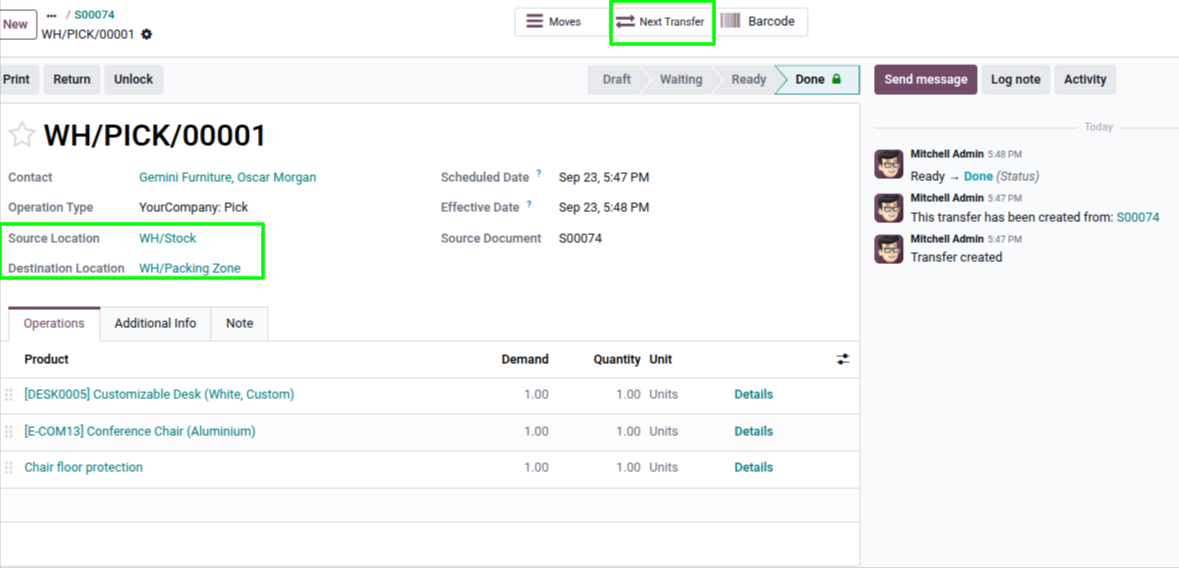
- How to handle it: Your team takes a cart, goes to the storage racks, and brings the reserved items to the Packing Zone. Once they drop the items off, they click Validate.
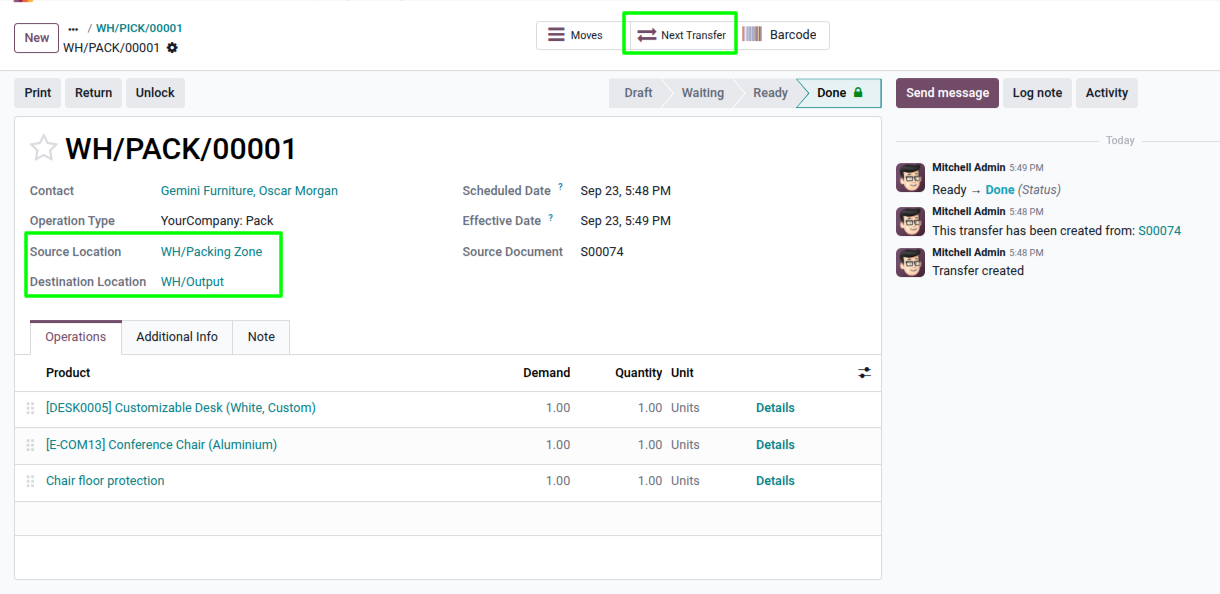
Step 2: Pack (Internal Transfer)
- Where to find it: The Pack operation type.
- How to handle it: This step will sit in a Waiting Another Operation state until Step 1 is done. Once the items are at the packing station, the packer boxes them up, prints shipping labels, moves the boxes to the loading dock (Output location), and clicks Validate.
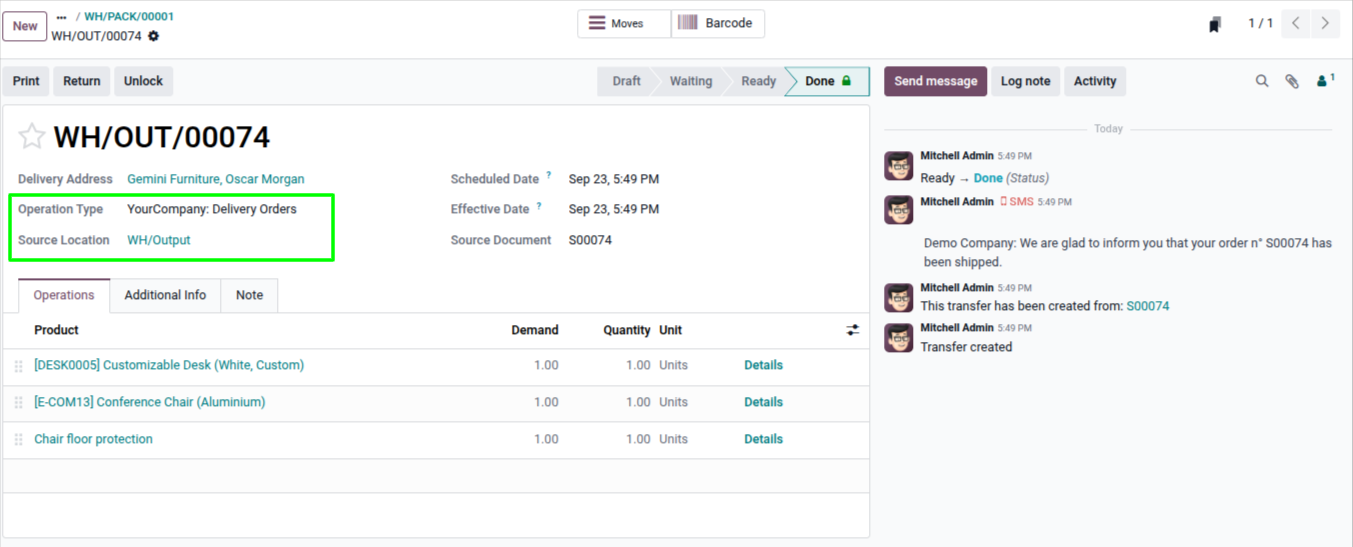
Step 3: Ship (Delivery Order)
- Where to find it: The Delivery Orders operation type.
- How to handle it: This step represents handing the boxes to FedEx, UPS, or loading them onto your own truck. Once the carrier picks them up, the shipping manager clicks Validate. The goods are now officially delivered.
Conclusion
Switching from a 1-step to a 3-step delivery workflow in Odoo can help businesses create a more organized and scalable warehouse operation. By separating picking, packing, and shipping, warehouse teams can improve visibility, reduce handling errors, and establish a workflow that supports higher order volumes.
The key is to configure the warehouse settings correctly and ensure that the warehouse team understands the purpose of each operation. If your business is growing beyond a simple ship-directly process, Odoo's multi-step delivery routes can provide the structure you need without requiring a completely separate warehouse management system.
FAQ: Common Odoo Delivery Workflow Questions
1. I turned on 3-step deliveries, but my old orders are still 1-step. Why?
When you switch a warehouse from 1-step to 3-step delivery, Odoo applies the new route to new orders. Sales Orders confirmed before the configuration change retain their original delivery route.
To use the new 3-step workflow for an existing order, you may need to cancel the existing delivery, revert the Sales Order to draft, and confirm it again so Odoo generates the new route.
2. My "Pack" step is stuck in "Waiting". How do I fix it?
This usually happens when the previous picking operation has not been completed correctly. The Pack operation waits for the products to arrive at the Packing Zone.
Make sure the Pick operation has been validated and that the products were transferred to the correct destination location. Avoid manually changing the destination to the Customer location, as this can bypass the expected warehouse route.
3. Can I switch back from 3-step delivery to 1-step delivery?
Yes. You can change the warehouse's Outgoing Shipments configuration back to Deliver goods directly (1 step). As with switching to 3-step delivery, the change primarily affects new orders created after the configuration is updated.
Existing operations that were already generated will generally retain their original route.
4. Do I need 3-step delivery for every warehouse?
No. Odoo allows you to configure delivery steps at the warehouse level. This means different warehouses can use different delivery workflows depending on their operational requirements.
For example, a small warehouse may use 1-step delivery, while a larger fulfillment warehouse may use a 3-step Pick → Pack → Ship process.
5. What is the difference between 2-step and 3-step delivery in Odoo?
In a 2-step delivery, products are picked from stock and moved to an Output location before being delivered to the customer.
In a 3-step delivery, the process is divided into Pick, Pack, and Ship operations. This provides an additional packing stage, making it useful for businesses that need a dedicated packing station, packaging process, or shipping preparation step.
Ready to optimize your Odoo Inventory workflow?
Contact us to discuss your Odoo Inventory requirements.