For multi-company configurations, managing internal transactions within the company in Odoo can be complicated. Working with an experienced Odoo partner makes it easier to set up and manage these processes effectively. Odoo's intercompany transaction feature allows for smoother processing, better coordination between your companies, fewer errors, and significant time savings. It is mainly used to transfer products internally within the organization.
Process of managing intercompany transactions Odoo
1. Setup the Companies Properly
Every company which are involved in intercompany transactions must have:
- Currency needs to be properly set.
- Address and contact information of the companies to be set.
- Default sales and purchase journals need to be set properly for all companies.
Go to Settings → Users & Companies → Companies to check or update the settings.
2. Assign User Access Across Companies
Give access to the users to both companies which is handle the Inter Company Transactions:
- Go to Settings → Users & Companies → Users.
- Assign access to relevant companies.
- Check for permissions for sales, purchase, and accounting.
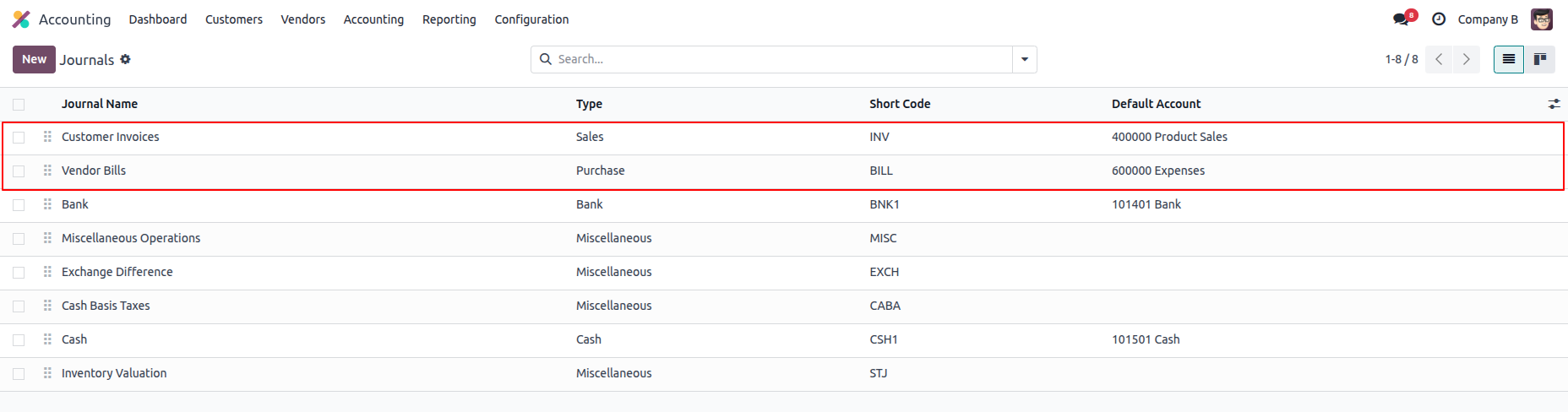
3. Journal Configuration
Each company must have:
- A Sales Journal for sales orders
- A Purchase Journal for purchase orders
Tip: If wrong journal is set, it can give errors like “Cannot create a purchase document in a non-purchase journal.”
4. Enable the Intercompany Feature in Odoo
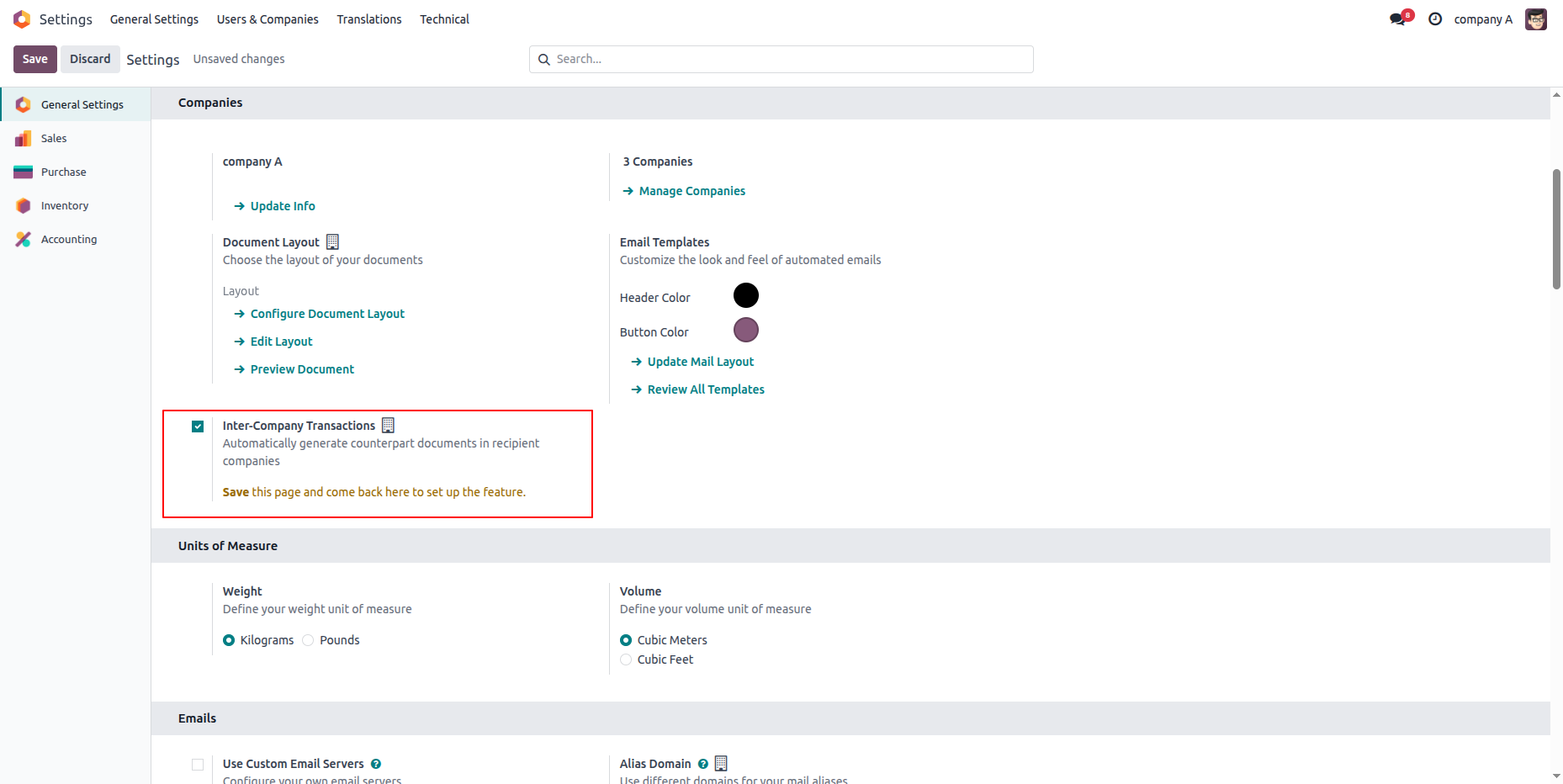
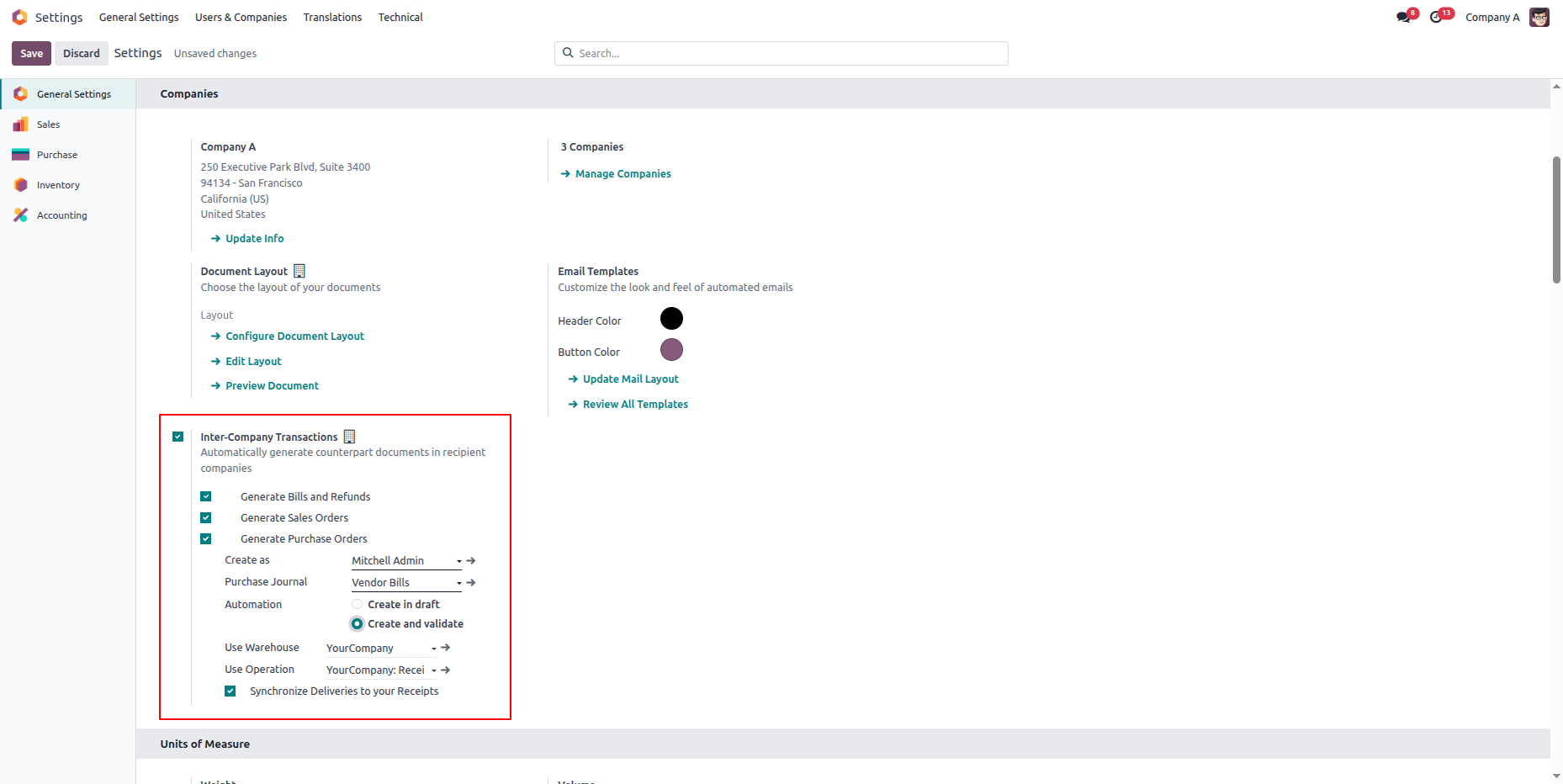
To enable the Inter Company Transaction functionality:
- Go to Settings → General Settings.
- Under the multi-Company Section, enables Intercompany Transactions and Save it.
This allows Odoo to automatically manage Inter Company Transactions between the companies.
5. Configure Intercompany Rules
This explains how the intercompany transaction flow works between companies.
- Navigate to Settings → Companies → Intercompany Rules.
- Create a rule which is specifying:
- The Source Company and Destination Company
- Auto create sale order → purchase order
- Auto-confirmation for sale orders and invoices
- Set default journals for both the companies
6. Configure Products for Intercompany Transaction Usage
For smooth operation, products must be available in both companies:
- Go to Products → Inventory.
- Enable Can be Sold and Can be Purchased flags.
- Set company-specific prices if necessary.
7. Create/Manage Intercompany Transactions
Example:
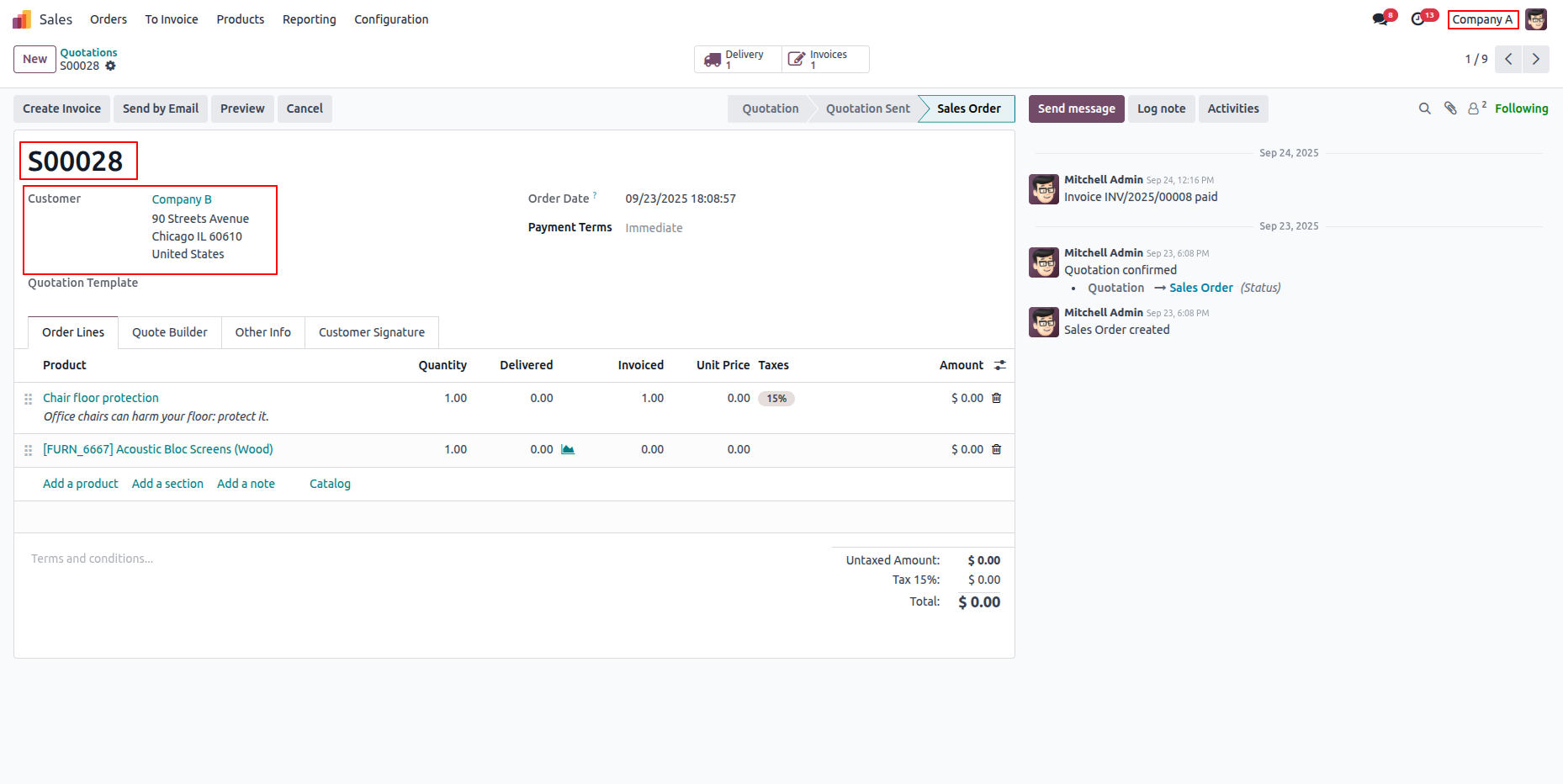
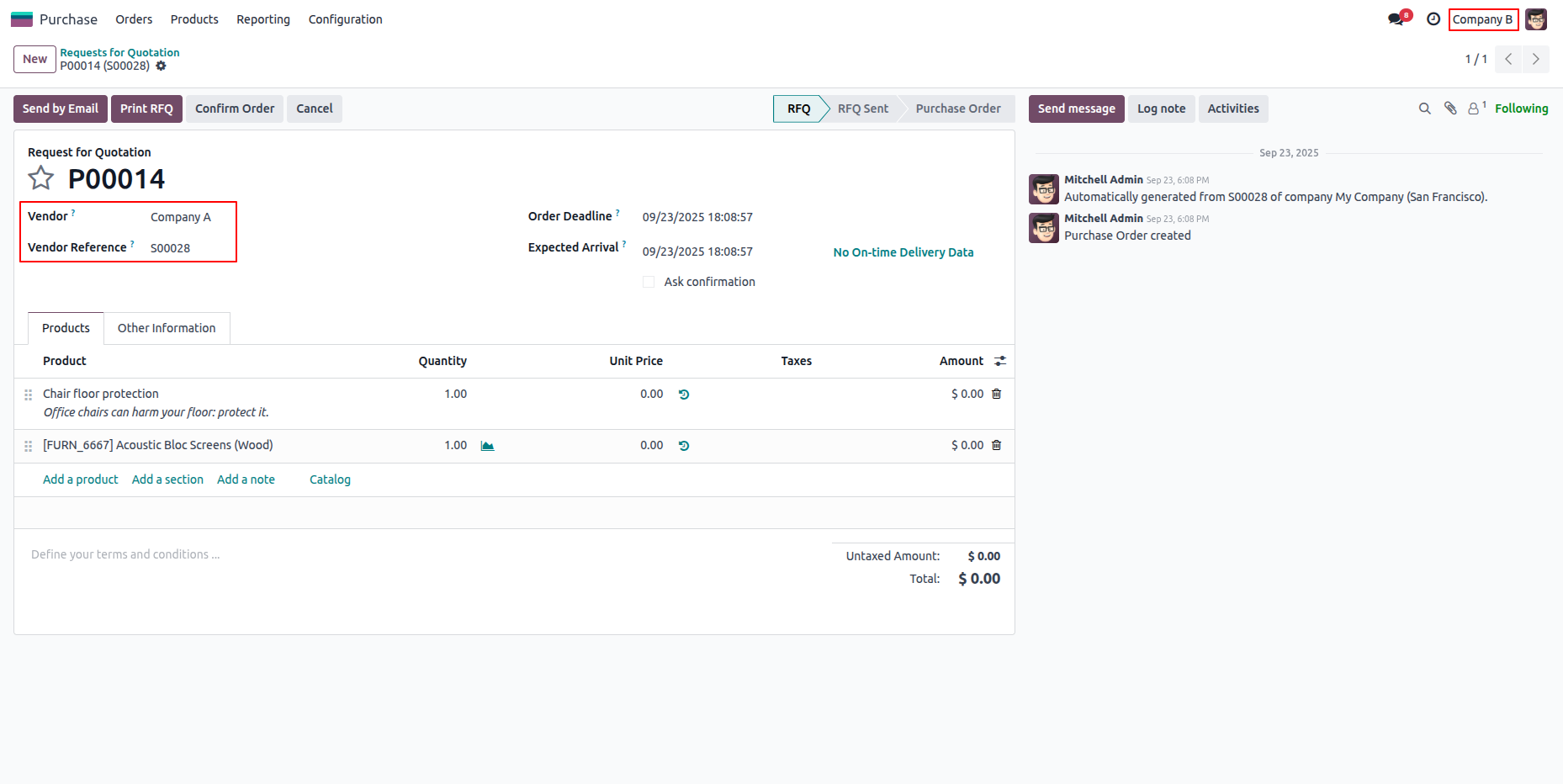
- When Company A creates a sale order for Company B.
- Odoo automatically generates a purchase order in Company B.
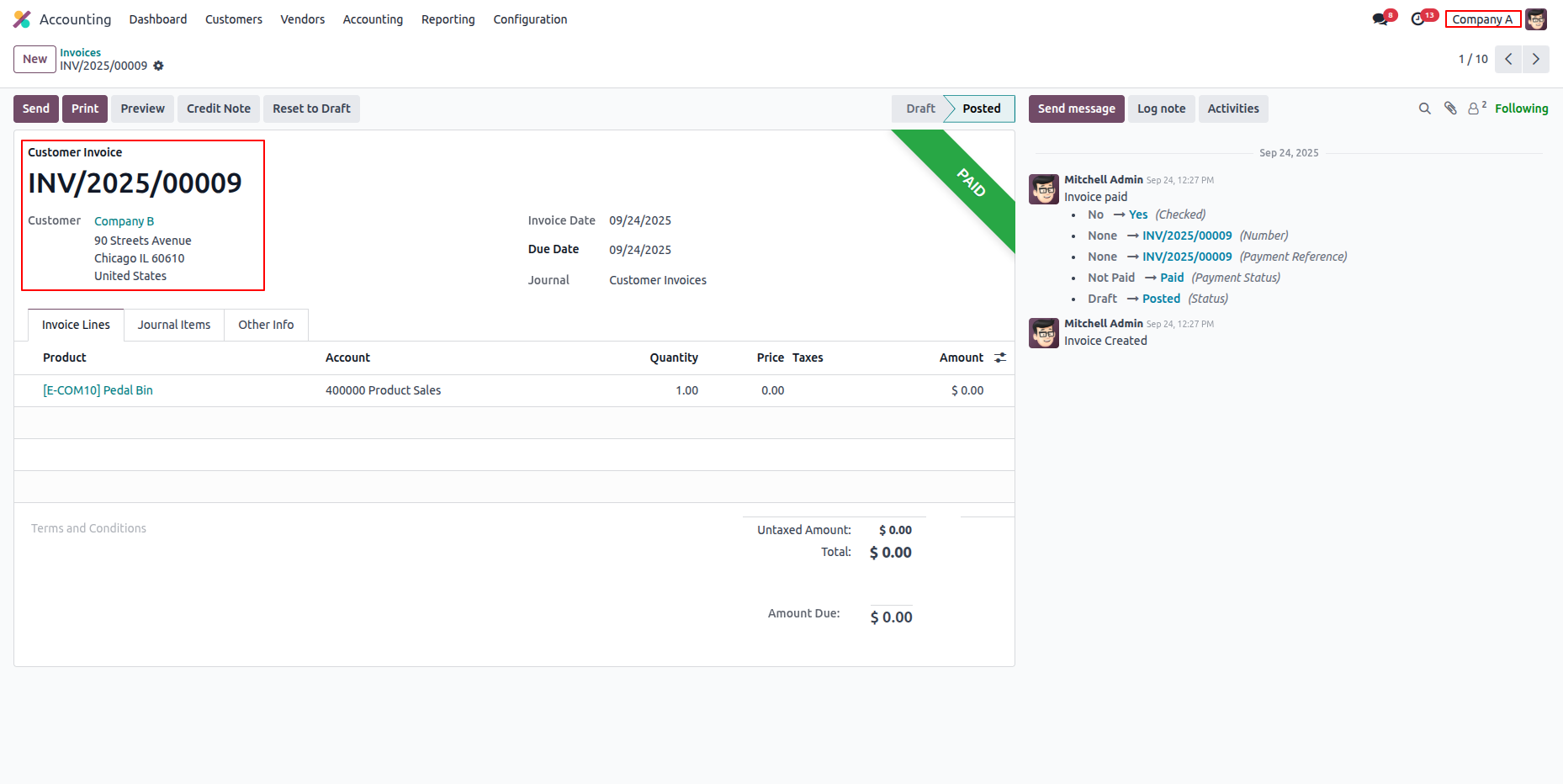
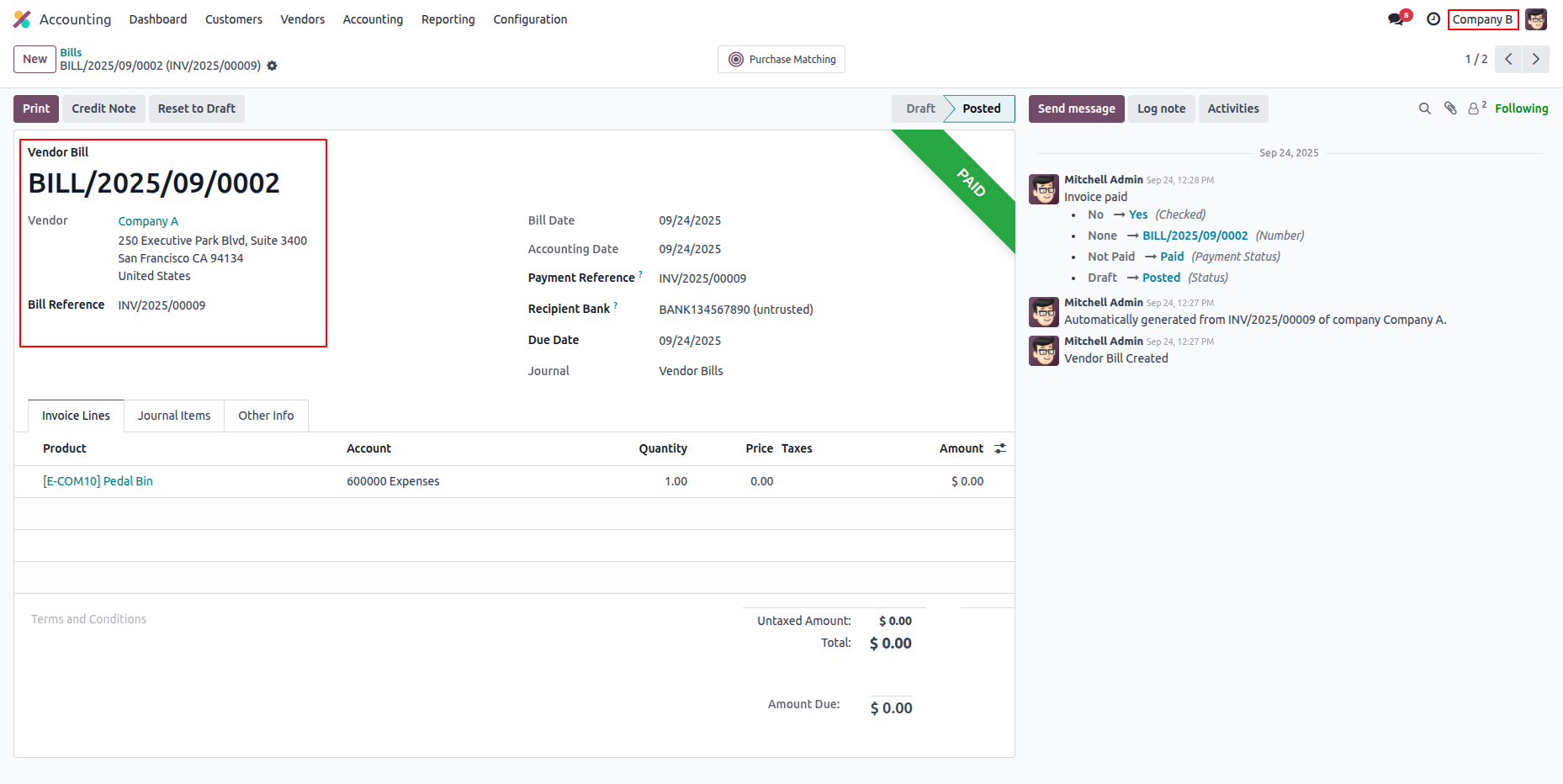
- When an invoice was created from the Company “A”, Odoo will automatically generate Vendor bill in the Company “B”.
- Accounts, due dates, and journals are automatically aligned.
This automation reduces manual work and ensures accurate accounting.
Company “A” Sale Order:
Company “B” Purchase Order:
Company “A” Invoice:
Company “B” Vendor Bill:
Advantages
- Easy to create SO and PO between inter-companies.
- Saves time and reduces manual work.
- Simply mange the inter companies.
Conclusion of Intercompany Transactions Odoo
Odoo’s Inter Company Transaction feature provides a simplified and efficient process by automating transactions between companies, ensuring seamless accounting, and creating efficiencies of time. This prevents the need for manual reconciliations, allowing businesses to focus on growth instead of administrative tasks. With the right Odoo development services, companies can configure their systems, users, products, and journals properly to enjoy seamless, automated transactions across entities.
FAQs:
Q1: What is an intercompany transaction in Odoo?
Intercompany transaction is used to transfer the product internally between the companies.
Q2: Can Odoo automate a purchase order from sale orders?
Yes, Intercompany Rules allow Odoo to create purchase orders automatically after a sale order is confirmed.
Q3: Do both companies need to have the same product?
Yes, products need to be configured for both companies to allow intercompany transactions.
Q4: Can Odoo use different currencies?
Yes, Odoo allows multiple currencies on intercompany transactions if proper exchange rates are setup.
Q5: What happens if the journals do not configure properly?
Odoo does not allow a transaction and throws errors. Journals need to match the document type.